AWS API Gateway Consulting and Offering

Enhance your business efficiency and agility with the Persistent AWS API Gateway Competency!

Peritos, recognized as an AWS API Gateway Competency Partner, demonstrates exceptional expertise in leveraging AWS services to design, develop, and deploy robust API solutions. Our proficiency in architecting scalable and secure API frameworks empowers businesses to manage and streamline their digital ecosystems efficiently. Our expertise in AWS technologies enables us to provide customized API solutions that optimize performance, increase flexibility, and drive innovation for our clients.

Integration With AWS Services

AWS API Gateway seamlessly integrates with other AWS services like Lambda, EC2 & any other AWS service

Monitoring & Security

detailed monitoring through Amazon CloudWatch, as well as built-in security features

Caching

reduces the number of calls made to the backend, improving response times and decreasing latency by temporarily storing the output of API calls.

AWS Competencies We Accomplished & Support

With a precise attention on AWS and an exceptional level of cloud proficiency, we significantly benefit all AWS solutions. Our team of cloud aces guarantees that clients stay ahead in terms of advancement.

Education

Energy

Financial Services

Goverment

Healthcare

Retail

Smart City

Supply Chain

Non Profit

Public Safety & Disaster Response

Manufacturing & Industrial

Life Sciences

Media & Entertainment

Travel & Hospitablity

Cloud Operations

Containers

Conversion API

Data and Analytics

Devops

Digital Customer Experience

Digital Workplace

High Performance Computing

IoT

Level 1 MSSP

Machine Learning

Mainframe Modernization

Migration

Migration & Modernization

Networking

Security

Storage

Workload

Oracle

SaaS

Goverment

SAP

How We Practice API Gateway

Best Strategies & Techniques

API Design & Development

  • Iterative Design Process: Begin with a lean API design, allowing for iterative improvements based on user feedback and evolving requirements. 
  • Version Control: Implement API versioning strategies to manage changes and maintain compatibility with existing client applications. 

Security & Authorization

  • Defense in Depth: Apply multiple layers of security, including AWS WAF to filter harmful traffic and AWS Shield for DDoS protection. 
  • Identity Management: Utilize AWS IAM for fine-grained access control and Amazon Cognito for user authentication and authorization flows. #ECE7E7

Performance Optimization

  • Caching Mechanisms: Leverage Amazon API Gateway caching to improve response times and reduce the load on backend services. 
  • Throttling Policies: Enforce throttling to maintain performance stability and prevent API abuse. 

Monitoring & Maintenance

  • Real-Time Monitoring: Use Amazon CloudWatch and AWS X-Ray for real-time monitoring of API performance and error tracking. 
  • Automated Testing: Implement automated tests within CI/CD pipelines to ensure API reliability and quick detection of regressions. 

Scalability & Reliability

  • Load Balancing: Integrate with Elastic Load Balancing (ELB) to distribute traffic across multiple instances and availability zones. 
  • Deployment Strategies: Employ blue/green or canary deployment techniques to reduce risks during updates and enable rapid rollback if needed. 

Integration & Deployment

  • Microservices Architecture: Adopt a microservices approach to decompose complex applications into manageable services that can be developed, deployed, and scaled independently. 
  • Infrastructure as Code (IaC): Use AWS CloudFormation or Terraform to define and deploy infrastructure, ensuring consistent and reproducible environments. 

Compliance & Governance

  • Regulatory Compliance: Ensure APIs comply with relevant industry standards and regulations, such as GDPR, HIPAA, and PCI-DSS. 
  • Audit Trails: Maintain comprehensive audit trails using AWS CloudTrail for governance, compliance, and operational auditing. 

Developer Experience

  • SDK Generation: Utilize AWS API Gateway’s SDK generation capabilities to provide developers with client libraries in multiple languages. 
  • Developer Portals: Create custom developer portals to enable self-service discovery, registration, and documentation of APIs. 

Why choose AWS for API Gateway ?

Scalability

With AWS API Gateway, you can effortlessly scale your APIs to handle thousands of requests per second without any additional configuration, ensuring performance under any load.

Managed Services

AWS API Gateway offers a fully managed service that handles all aspects of API management, including traffic management, authorization and access control, monitoring, and API version management.

Cost-Effectiveness

Pay only for the API calls you receive and the amount of data transferred out, allowing for a cost-effective API solution without any upfront investment or minimum fees.

Security

AWS API Gateway provides built-in mechanisms such as AWS WAF integration, identity management with AWS IAM, and Amazon Cognito for authentication, offering robust security to safeguard your APIs.

Read what our clients say about us !

Learn more about AWS with Us!

Ready to get started? Let our experts accelerate your journey to the cloud.

Testimonials

Dr Akanksha Niranjan

Director | Ekanshi Solutions

I am working with Ekanshi solutions as part of Medical Advisor. I am also reviewing the HMIS software and involved in the process of forms and formats development. Peritos solutions is very well versed with the conversion of ideas in HMIS development..

John Leeves

Director | Tonkin + Taylor

Peritos are very easy to work with and have excellent development skill. They were dedicated/committed to our project and provided great service.

Matt Kardos

Director | The Energy Collective
We sought the services of Peritos Solutions to help with our Observability objectives. Peritos took the team through a phased process of uncovering exactly what we needed from observability. Through this discovery, we can to understand that the solution that we thought we should be implementing didn't fully match our requirements. Without the work from Peritos, we would have implemented something not fit for purpose, and we are now in a great place to re-evaluate our objectives and requirements and make a more informed decision. The work Peritos performed was top-notch, and we look forward to more engagements with them.

Well Architect

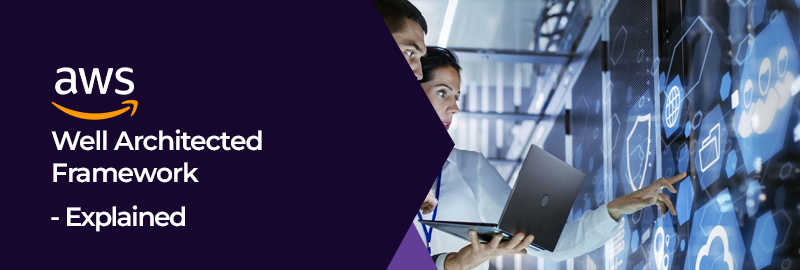
Accelerate & Optimize your Cloud Architecture with an AWS Well-Architected Framework Review

The Well-Architected Framework Review, developed by AWS, offers a structured approach for optimizing cloud architecture. It evaluates security, performance, reliability, cost efficiency, and operational excellence. By following best practices and analyzing key components, organizations can enhance their infrastructure, ensuring it meets high standards and scales effectively, aligning with business objectives and bolstering overall operational resilience.

Our Valuable AWS Clients

Here are the 6 pillars of the Well-Architected Framework Review

Peritos Automate+ integrates seamlessly with AWS Well-Architected Tool, saving time & money!

Operational Excellence

Achieving better business outcomes and providing value to your customers are the core objectives of your cloud strategy. To help you accomplish these objectives, we thoroughly evaluate your processes against design principles and best practices. Our analysis helps to identify gaps and enables us to suggest methods to measure, monitor & continuously improve operations.

Security

As technology advances, the threats to our systems also evolve. It is essential to have a cloud security strategy that acclimates and uses the latest AI-generated security insights, automated monitoring and remediation, logging, tracing, periodic risk assessments, and mitigation tactics to stay ahead of these threats. We analyze your entire enterprise to ensure a strong security foundation.

Cost Optimization

To gauge your cloud strategy's effectiveness, understand your business goals clearly. It's not just about cost but the business value. Optimize for speed or cost? For instance, are you aiming to prioritize market speed or cost optimization? Sometimes, faster go-to-market, shipping new features, or meeting deadlines is better than upfront cost optimization.

Performance Efficiency

Cloud is a dynamic environment that is constantly evolving with new capabilities, providing opportunities for new strategies and implementations. Keeping up with these changes is essential by reviewing your choices periodically to ensure you're taking advantage of the continually evolving AWS cloud. System solutions vary with workload, combining multiple approaches for optimal performance.

Reliability

Ensuring uninterrupted service is crucial. We will evaluate your ability to acquire computing resources dynamically to meet demand and address issues like misconfigurations or transient network problems. In case of an event, how quickly can you resume operations? We'll verify if your system can detect and recover from failures. It is essential to have adequate network bandwidth for your data center, which is sometimes overlooked.

Sustainability

Enhancing sustainability within the AWS well-architected framework involves a perpetual focus on lessening energy usage and amplifying efficiency across workload elements. This is achieved by optimizing resource allocation to maximize benefits and minimize the overall resource demand, contributing to a greener and more eco-conscious approach in the domain of cloud computing.

PROCESS

How does an AWS Well-Architected Framework Review work?

  • An AWS Well-Architected Framework Review is a structured process where AWS experts evaluate your cloud architecture against best practices.
  • It begins with a comprehensive assessment of your workload’s design, performance, security, reliability, and cost efficiency.
  • Recommendations are then provided to optimize these aspects, promoting a robust and efficient cloud infrastructure.
  • This iterative process ensures continuous improvement in alignment with AWS guidelines.

Have a look at the Process, Team Structure and Timelines for the Well-Architected Framework Review!

01

Initial Review

Our experts will document the workload and answer questions based on the Well-Architected Framework Review’s six pillars.   

Required Team Members- Innovative Cloud Architect, Innovative Account Executive & Your Project Team will be involved during the Initial Review.

Estimated Timeline- 1 Week

02

Well-Architected Framework Review

Use AWS Well-Architected Framework to assess and plan innovative solutions. We’ll work with your team to understand your processes comprehensively. 

Required Team Members- While conducting the Well-Architected Framework review, the Creative Cloud Architect and Your Project Team will be involved. 

Estimated Timeline- 1 Week

03

Conclusions & Reports

We’ll show what’s working, what needs improving, and critical issues. Together, we’ll make a plan to fix 45% of critical findings.

Required Team Members-Innovative Cloud Architect, Account Executive, and your project team will be involved during this process. 

Estimated Timeline- 1 Week

04

Get Exclusive Benefits

Upon successful application, the credit code (US$5,000)* will be sent only to the Partner.

Estimated Timeline- Weeks

05

Plan your next Review with us

The Well-Architected Framework offers a consistent approach to enhance your cloud practice at every phase of the process, from development to production, and beyond.

*Please note that content in this program is subject to changes as we improve the program. For the latest information, please reach out to your PDM or WA BD. 

Please reach out to us to know more. 

Interested in Well-Architected Framework Reviews? Contact us today.

Guaranteed response within 8 business hours.

Fill up your details

Get Custom Solutions, Recommendations,
Estimates.

What's next?

One of our Account Managers will contact you
shortly

    Interested in Well-Architected Framework Reviews? Contact us today.

    Testimonials

    Dr Akanksha Niranjan

    Director | Ekanshi Solutions

    I am working with Ekanshi solutions as part of Medical Advisor. I am also reviewing the HMIS software and involved in the process of forms and formats development. Peritos solutions is very well versed with the conversion of ideas in HMIS development..

    John Leeves

    Director | Tonkin + Taylor

    Peritos are very easy to work with and have excellent development skill. They were dedicated/committed to our project and provided great service.

    Matt Kardos

    Director | The Energy Collective

    We sought the services of Peritos Solutions to help with our Observability objectives. Peritos took the team through a phased process of uncovering exactly what we needed from observability. Through this discovery, we can to understand that the solution that we thought we should be implementing didn't fully match our requirements. Without the work from Peritos, we would have implemented something not fit for purpose, and we are now in a great place to re-evaluate our objectives and requirements and make a more informed decision. The work Peritos performed was top-notch, and we look forward to more engagements with them.

    AWS Tagging Rules to implement effctive Tagging Strategy

    AWS Tagging Rules to implement effctive Tagging Strategy

    This article discusses the steps with AWS Tagging Rules. Read more to know how it helps you implement an effective tagging strategy.

    Introduction- AWS Tagging Rules

    There are certain requirements to define the AWS tagging rules and one must follow them.

    This topic describes commonly used  tagging, categories and strategies to help you implement a consistent and effective tagging strategy. The following sections assume basic knowledge of AWS resources, tagging, detailed billing, and AWS Identity and Access Management (IAM).

    Each tag has two parts:

    • A tag key (for example, CostCenter, Environment, or Project). Remember that tag keys are case sensitive.
    • A tag value (for example, 111122223333 or Production). Like tag keys, tag values are also case sensitive.

    Tags would be used to categorize resources by purpose, owner, environment, or other criteria. Please add, change, or remove tags one resource at a time from each resource’s service console, service API, or the AWS CLI.

    • Each resource can have a maximum of 50 tags.
    • For each resource, each tag key must be unique, and each tag key can have only one value.
    • The maximum tag key length is 128 Unicode characters in UTF-8.
    • The maximum tag value length is 256 Unicode characters in UTF-8.
    • Allowed characters are letters, numbers, spaces representable in UTF-8, and the following characters: . : + = @ _ / – (hyphen). Amazon EC2 resources allow any characters.
    • Tag keys and values are case sensitive. As a best practice, decide on a strategy for capitalizing tags, and consistently implement that strategy across all resource types. For example, decide whether to use Costcenter, costcenter, or CostCenter, and use the same convention for all tags. Avoid using similar tags with inconsistent case treatment.
    • The aws prefix is prohibited for tags; it’s reserved for AWS use. You can’t edit or delete tag keys or values with this prefix. Tags with this prefix do not count against your tags per resource quota.

    This article summarizes AWS Tagging Rules and that includes:

    • Types of tags
    • Best practices
    • Naming Constructs
    • Mandatory Type of tags

    Types of Tags

    Below is the account structure we are planning to adopt

    • Tags for AWS console organization and Resource groups
    • Tags for cost allocation example cost center, business unit or project
    • Tags for automation
    • Tags for operational support – Backup, Restore, Patching, Ticket creation in ITSM
    • Tags for access control
    • Tags for security risk Management

    AWS Tagging Rules- Best Practices

    You should follow the below practices in using the tags

    • Inform each team and stakeholders about the right tags so that they can use them and check periodically for the same in reports.
    • Use tags consistently
    • Tag owners should be identified to enable use and tracking of tags
    • Tags for cost
      1. Tagging decisions are reversible, giving you the flexibility to edit or change as needed in the future. However, there is one exception—cost allocation tags—which are included in AWS monthly cost allocation reports. The data for these reports is based on AWS services utilization and captured monthly. As a result, when you introduce a new cost allocation tag it takes effect starting from that point in time. The new tag will not apply to past cost allocation reports
      2. Adopt a standardized approach uses the naming convention as listed in the document below for resource specific tags
    • Tag everything
    • Constrain tag values: Tags are not useful if they contain missing or invalid data values. If tag values are set by automation, then automation code can be reviewed, tested, and enhanced to ensure that valid tag values are used. When tags are entered manually, there is the opportunity for human error. Reduce this by using AWS Service Catalog
    • Propagate tags and then tag values across related resources
    • If tags are used in access control limit, users have the ability to modify tag values in order to gain access
    • Use AWS Configuration to create rules to check resources for required tags as it will continuously monitor your resources against those rules 
    • Impact analysis, approval, and implementation for requests to add, change, or deprecate tags application of existing tagging requirements as new AWS services are adopted by monitoring and remediation of missing or incorrect tags
    • Use each key only once for each resource. If you attempt to use the same key twice on the same resource, then your request will be rejected.
    • You cannot tag a resource at the same time you create it. Tagging requires a separate action after the resource is created.
    • You cannot backdate the application of a tag.
    • Maximum number of tags per resource: 10
    • The more tags you have, the better your AWS visibility.
    • Standardize your tagging format to prevent duplications, mix-ups, and inconsistencies.
    • Don’t use tags to store confidential data such as your personal information. Because tags are used across many services on AWS, the information could be accidentally shared
    • Automation tools, such as CloudFormation templates can help you tag resources proactively, especially as you scale.
    • Get notified automatically when tags are incorrect or missing.
    • Designate a tag owner – the individual who owns a specific tag and can demonstrate its value to the organization.

    AWS Tagging Rules- Naming Constructs

    The following basic restrictions apply to tags.

    RestrictionDescription
    Maximum number
    of tags per resource
    50
    Maximum key length128 Unicode characters in UTF-8
    Maximum value length256 Unicode characters in UTF-8
    Prefix restrictionDo not use the aws: prefix in your tag names or values because it is reserved for AWS use. You can’t edit or delete tag names or values with this prefix. Then tags with this prefix do not count against your tags per resource limit.
    Character restrictionsTags may only contain Unicode letters, digits, whitespace, or these symbols: _ . : / = + – @

    Mandatory Types of Tags

    The following basic restrictions apply to tags.

    “Environment” Tag

    The “environment” tag refers to the hierarchical stages an application deployment migrates through.

    Tag Name

    The tag name MUST be written as “environment”.

    Possible Value

    • The tag value for environment MUST be one of [“Production”, “UAT”, “Test” or “Development”].
    • If you have an environment that is not one of the values listed, you MUST select a value that most closely relates.  Note: the “Name” tag convention MAY allow more flexibility for this.
    • The tag value SHOULD be in agreement with the scope of the account you are in.

    Rationale

    •  Useful for Business Owner to understand their spending by environment and possibly see opportunities for cost savings.
    • Operations – Monitoring (among other things) is driven directly by the environment.

    “Application” Tag

    • The “application” tag refers to the application context of the resource.

     Tag Name

    • The tag name MUST be “application”.

    Possible Values

    • The tag value for the application must be the same name as the application name in AWS

    Rationale

    • Billing – Since most groups manage more than one application, it is useful to be able to differentiate and spend on a per-application basis.
    • Operations – By matching the nomenclature in this tag to the list of Applications then this tag can be used for Incident Management purposes and routing any requests to the specific application owner
    • Security – As with Operations, this tag could be used to escalate Security incidents to the appropriate party.

    “Costcenter” Tag

    • The “costcenter” tag refers to the identifier used to manage billing for a resource.

    Tag Name

    • The tag name MUST be “cost center”.

    Possible Values

    • Different cost center code values then which can be defined specific to each client

    Rationale

    • Billing – Enables AWS Billing to divide up a single account among multiple costcenter codes.

    “Name” Tag

    • The “Name” tag is used by Amazon to display a default name in the AWS console for many resource types.

    Tag Name

    • The tag name MUST be “Name”. Note the uppercase “N”, as distinct from other Tag Names in this document.

    Possible Values

    • The Name value is arbitrary but SHOULD be standardized across organizations.
    • Refer to AWS Naming conventions and then name should be same or similar specific to the AWS Account, Application or env name
    • See the Appendix section for naming restrictions specific to your cloud vendor.

    Rationale

    • Operations – If this tag is not populated, then AWS consoles will not display a name for assets, making them difficult to manage at a glance.

    “Platform” Tag

    The “platform” tag is then primarily used for operational purposes to distinguish between the major operating system types (Linux and Windows) for better visibility within configuration management.

    Tag Name

    • The tag name MUST be “platform” (lowercase).

    Possible Values

    • Tag values must be lowercase.
    • “linux” for Linux based instances (Amazon Linux, CentOS, RHEL, Ubuntu, etc…).
    • “windows” for Windows based instances.

    Rationale

    • To allow greater visibility to the configuration management system for inventory grouping purposes.
    • Allow better filtering of operating system types within other data gathering tools.

    Optional Tags: AWS tagging rules

    Assume that all tags and values are case sensitive, particularly for arbitrary values.

    Rationale

    • The “subproduct” is OPTIONAL and refers to specify a sub classification of your product.

    Tag Name

    • The tag name MUST be “subproduct”.

    Possible Values

    • Component of product or application (implied hierarchical relationship with product).
    • Then see the Appendix section for naming restrictions specific to your cloud vendor.

    Rationale

    • Billing – If the “product” tag is insufficiently granular for managing IT spend inside a single group, then  this tag can also be used.

    Authorization to Create/Edit Tags

    • Tags are sensitive and should only be created/updated by those with the appropriate level of permission. Then this can be accomplished with an execution model which is not yet standardized at the time of this writing.
    • Incorrectly tagged assets can impact both billing and uptime of your application.

    Security Awareness

    • Tags will help identify the appropriate owner and then to take corrective action in ongoing compliance testing.
    • Tags provide the context to determine if an application has the appropriate level of security applied for its data classification.
    • Without tags, a compromised asset with no ownership data may need to be forcefully locked down and then  potentially causing interruption to your business.

    Conclusion: AWS tagging rules

    In conclusion, Managing assets in the cloud effectively requires coordination across stakeholder interests.  A consistent tagging standard enables you to audit, authorize, bill, communicate and secure resources in the cloud more quickly. Then  Additional tags can be used in many more useful ways that are more application or department specific.

    Reference

    1. https://docs.aws.amazon.com/general/latest/gr/aws_tagging.html
    2. https://d1.awsstatic.com/whitepapers/aws-tagging-best-practices.pd

    Proud Blogs that
    make us stand
    out

    Marketing and Feedback Terms and Conditions Recent Home

    Terms & Conditions

    Marketing and Feedback Terms and Conditions

    General Terms and Conditions

    SAP Fieldglass Resume Ranking setup Recent Home

    S/4 Hana

    SAP Fieldglass Resume Ranking setup

    Ensure seamless SAP Integration | Secure Access | Auth0 with third-party APIs. Secure authentication &…

    Peritos Wins Globalisation Excellence Award | MSME Star Stories 2024 Recent Home

    Awards

    Peritos Wins Globalisation Excellence Award | MSME Star Stories 2024

    Peritos Solutions is proud to be a winner in the “Globalisation Excellence” category at MSME…

    Peritos Wins at NABH Quality Connect Fiesta 2024 Recent Home

    Awards

    Peritos Wins at NABH Quality Connect Fiesta 2024

    Peritos proudly receives the NABH Quality Connect Healthcare Quality Pitch Award at the 2024 Competitions…

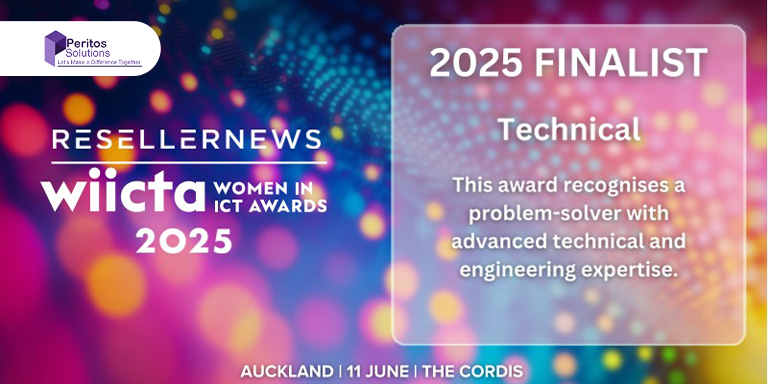
    Peritos: New Zealand ICT Award Finalist for Technical Award 2025 Recent Home

    Awards

    Peritos: New Zealand ICT Award Finalist for Technical Award 2025

    Peritos Solutions has been named a finalist for the 2025 New Zealand ICT Technical Award,…

    Thinking about a project? Get in touch with us.

    Connect with Us Today through the Details Below or Fill
    Out the Form for a Prompt Response

    Book Free Consultation

    Guaranteed response within 8 business hours.


      Trusted by Startups and Fortune 500 companies

      07+ years of experience

      We can handle projects of all complexities.

      100+ satisfied customers

      Startups to Fortune 500, we have worked with all.

      20+ in-house team

      Top 1% industry talent to ensure your digital success.