Business Central Getting Started with discounted licensing and extended free trial
This blog talks about Getting Started with Business Central and how you could be getting discounted licensing and extended free trial
Introduction: Business Central- Getting Started
Business Central is a business management solution for small and mid-sized companies that streamlines business processes and helps you to manage it. This blog talks about some of the unique features of Business Central and highlights the advantages of migrating to it.
If you are considering to shift to Business Central for your ERP, then we would like to congratulate you as you are taking a step ahead in the right direction. We have migrated multiple customers to Business Central because of its unique and easy to use features.
Let’s see how Business Central can help you manage your business and time in a better way. This blog talks about:
- Core modules of Business Central.
- How to get started?
- How to get discounted license prices from a partner?
Core and advanced modules: Business Central Getting Started
Business Central provides functionality for a common business processes for all types of industries mainly within wholesale and professional services. It even supports more complex processes such as assembly, manufacturing, service, and directed warehouse management.
You can opt for their standard configuration and best practice solutions, or you could customize it to suit your needs.
The core modules are:
- Sales
- Purchasing
- Inventory
- Finance
- Assembly management
These can be used in conjunction with advanced modules like:
- Warehouse management
- Project Management
- Fixed assets
- Relationship management
- Human resources
- Planning
- Service management
- Manufacturing
- Company Hub: For Intracompany Dealings
In addition to this, Business Central offers country-specific localizations that can be activated including partner-led and Microsoft-led features, which can further help you meet the regulatory and legal compliance needed.
- Read about the localizations offered here:
https://docs.microsoft.com/en-us/dynamics365/business-central/about-localization
- Read about the Partner-led Apps in the app source here:
How to Get Discounted License Price From an Authorized Partner?
So, once you have decided to migrate to Business Central and narrowed down Modules to select from, Microsoft provides a free trial version of the system to try its full capabilities.
To get the free trial, click on the Get Started link if you have an existing O365 License. If you don’t, then get a free license for one month.
https://dynamics.microsoft.com/business-central/overview/
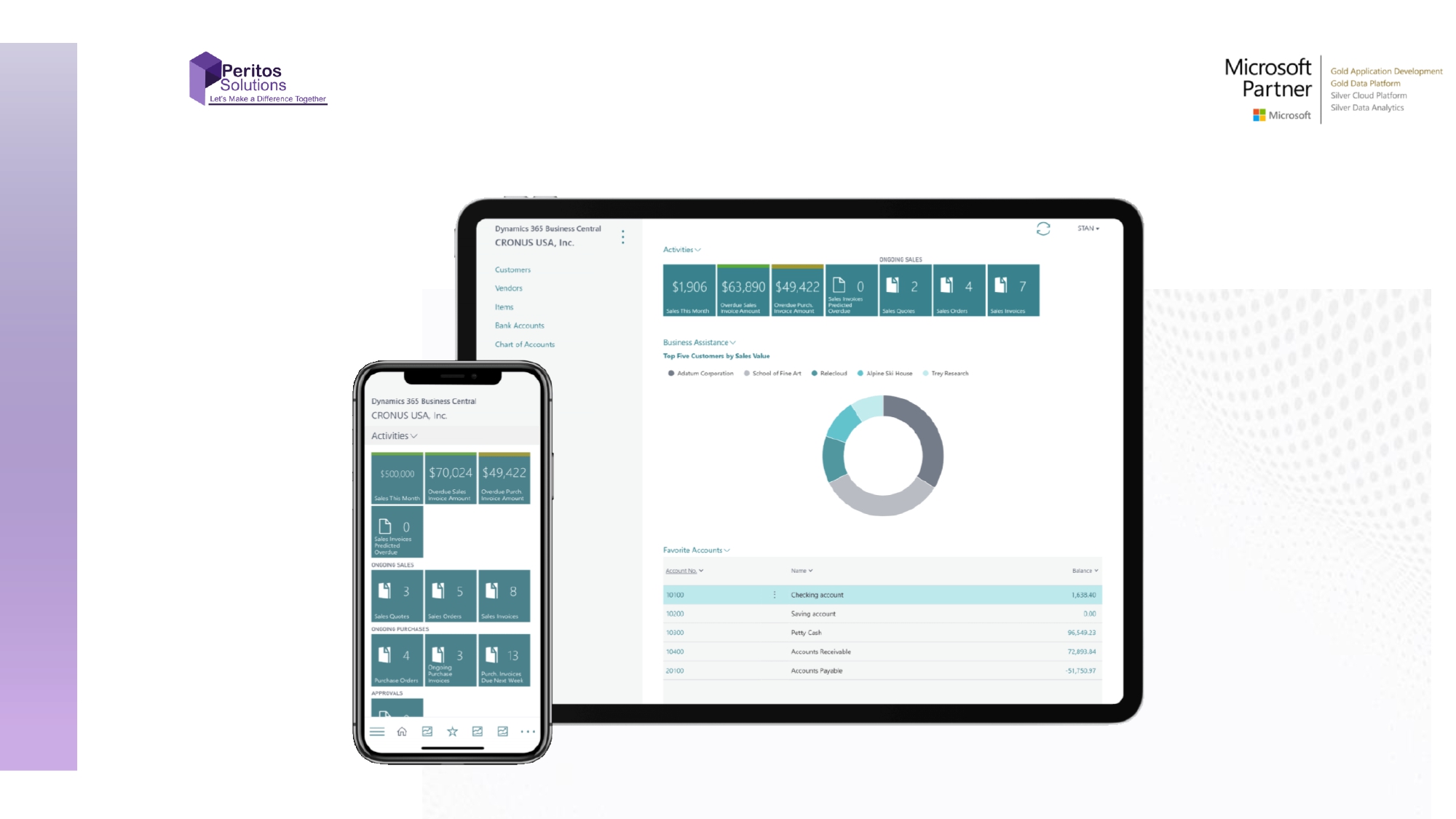
A demo company called CRONUS is pre-implemented with all the functions and capabilities for your free trial. You could use this as a playground to add, delete and modify data by managing all the available functions.
The scenarios that can be used are unlimited for doing an internal demo. You can keep using the data even after you have gone live for development purposes.
To start, create a new company from scratch or copy the existing one.
Read this link to understand how you could create your own company from scratch.
https://docs.microsoft.com/en-us/learn/modules/trial-dynamics-365-business-central/4-trial
How to Keep Working on the Trial Version?
There are 3 options that let you work on the trial version for a longer period of time.
- Get a 30-day trial free just by registering.
- Get another 30 days by extending your trial. You will receive a notification on the top bar to extend you trial version.
- An additional 30 days by requesting a partner to extend your trial.
Note that none of these options require any credit card payments.
If you are looking for ongoing cost reduction in your license, please talk to us as we are a Microsoft Gold partner. We offer 5% ongoing discount if you make us a support partner by committing to a min of 20 hours/month of support
How to cancel your subscription?
If you signed up for Business Central by using a non-Microsoft 365 Business Premium account, you will not have a Microsoft 365 administrator. So, you will have to unsubscribe by contacting the Business Central Cancellation team by sending an email message to: cancelbusinesscentral@microsoft.com
Conclusion- Business Central Getting Started
Share us
Get A Quote
Proud Blogs that
make us stand out
Recent Home
S/4 Hana
SAP Fieldglass Resume Ranking setup
Ensure seamless SAP Integration | Secure Access | Auth0 with third-party APIs. Secure authentication &…
Recent Home
sub -O365
Choosing the Right O365 Subscription: Monthly, Annual & Hybrid Commitments
This article explores the various Microsoft 365 subscription models—monthly, annual, and hybrid—and helps you choose…
Recent Home
Awards
Peritos Wins Globalisation Excellence Award | MSME Star Stories 2024
Peritos Solutions is proud to be a winner in the “Globalisation Excellence” category at MSME…
Recent Home
Awards
Peritos Wins at NABH Quality Connect Fiesta 2024
Peritos proudly receives the NABH Quality Connect Healthcare Quality Pitch Award at the 2024 Competitions…
Recent Home
Awards
Peritos: New Zealand ICT Award Finalist for Technical Award 2025
Peritos Solutions has been named a finalist for the 2025 New Zealand ICT Technical Award,…
Thinking about a project? Get in touch with us.
Connect with Us Today through the Details Below or Fill
Out the Form for a Prompt Response
Book Free Consultation
Guaranteed response within 8 business hours.
Trusted by Startups and Fortune 500 companies
We can handle projects of all complexities.
Startups to Fortune 500, we have worked with all.
Top 1% industry talent to ensure your digital success.