


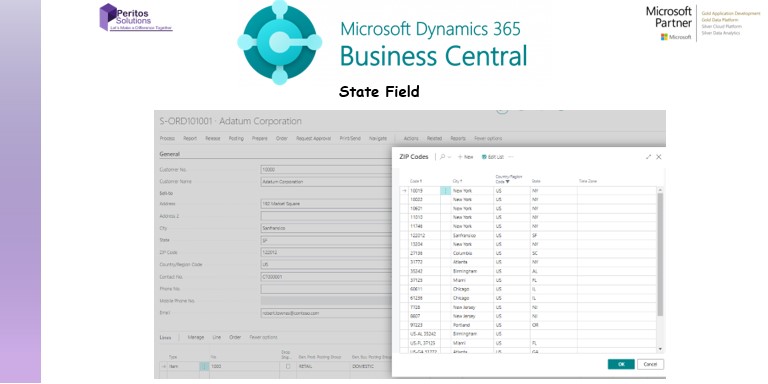
When using Business Central for creating customers and vendors fields, certain issue might arise which may include the system not restricting from entering any state. For some countries like US the Tax collection happens state wise so allowing the system user to manually enter any value will cause a problem in your month end reporting system.
Look below at the issue being reported by the client on the base functionality. Read further to know about the solution.
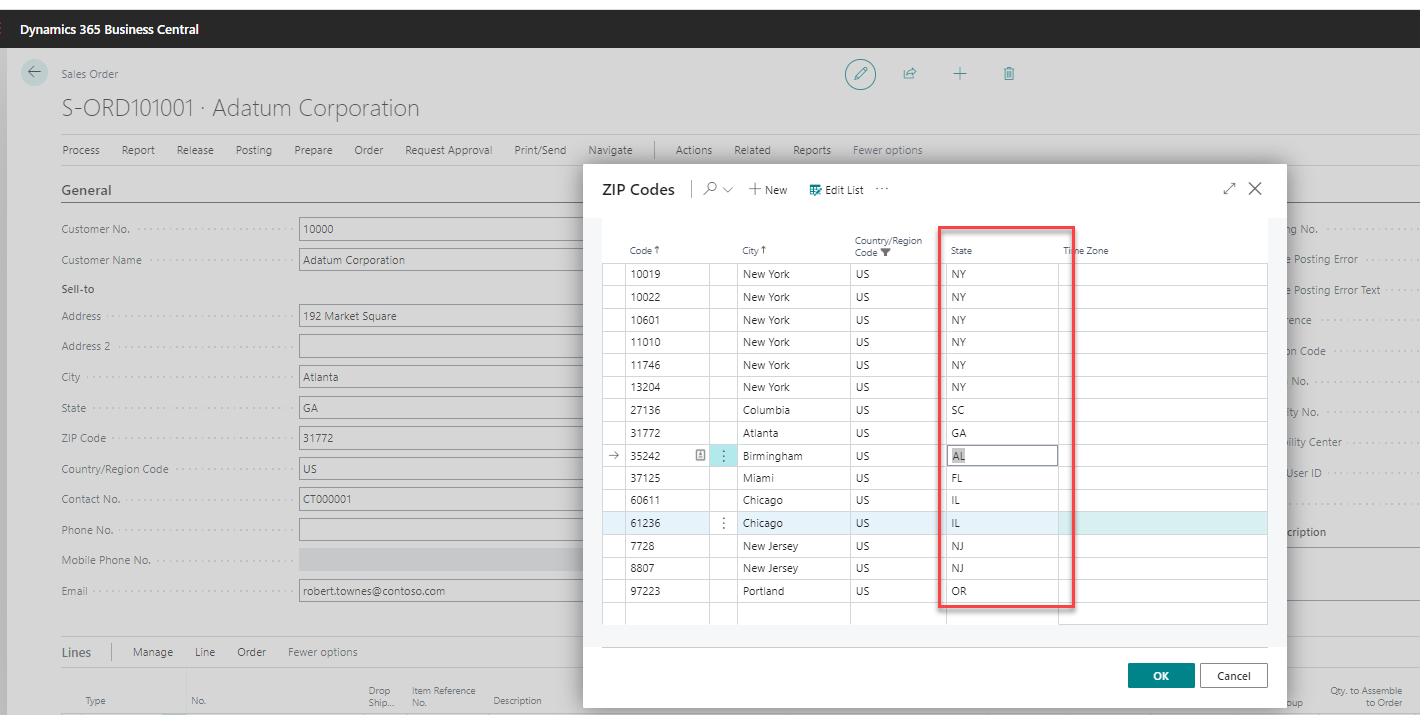
Here is the list of business central state field being added by the customer which caused the issue in: Sales Tax Reporting State wise.
- The state field can be updated to any value and it is not part of the master table.
- So the user can pretty much get away with entering any values as you see below.
- You can enter test, even though it does not appear in the ZipCode pop up.
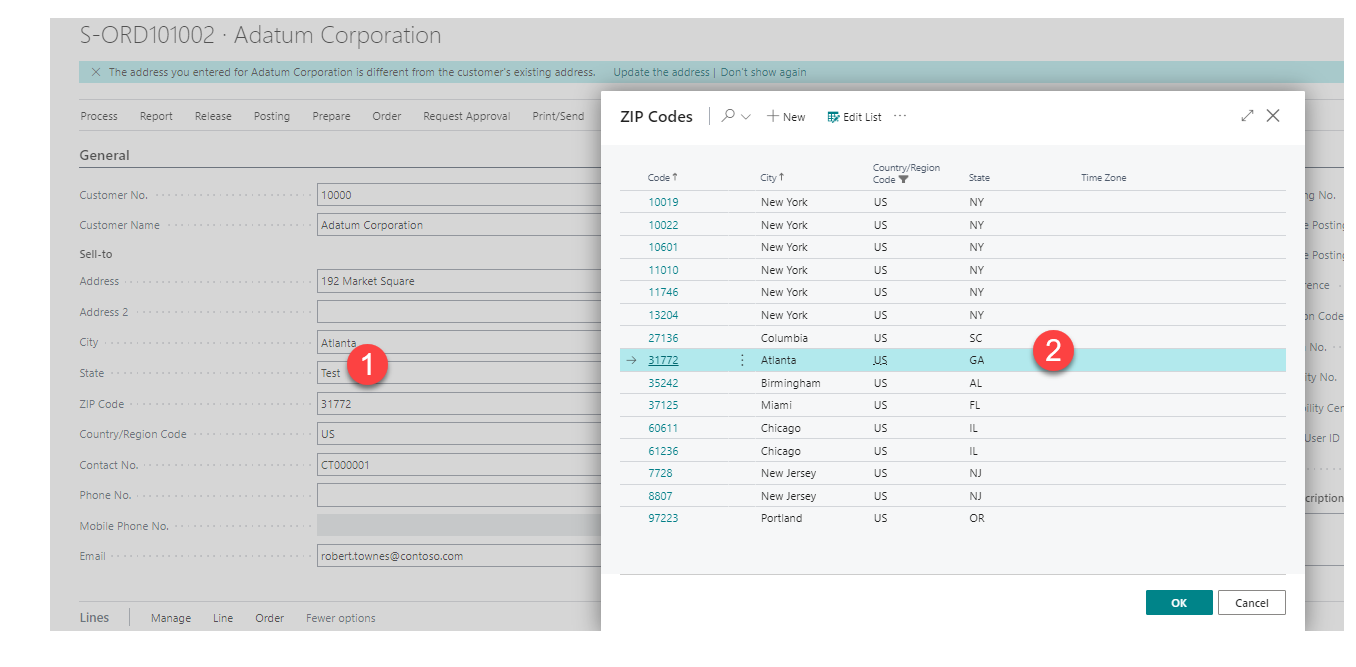
These Business Central State Fields can be a problem area for different records here:
- Customer card
- Vendor card
- Sales Order, Sales invoice , Credit memo
- Purchase order, Credit memo and Purchase invoice
To fix this issue as a workaround, we created a manual upload via configuration package.
For the posted Sales Invoice, you cannot change anything that has been done already. (We can do it from the backend though, but it would be a separate topic of discussion).
Check the Sales Invoice header table which is the table for storing all posted Sales Invoice.
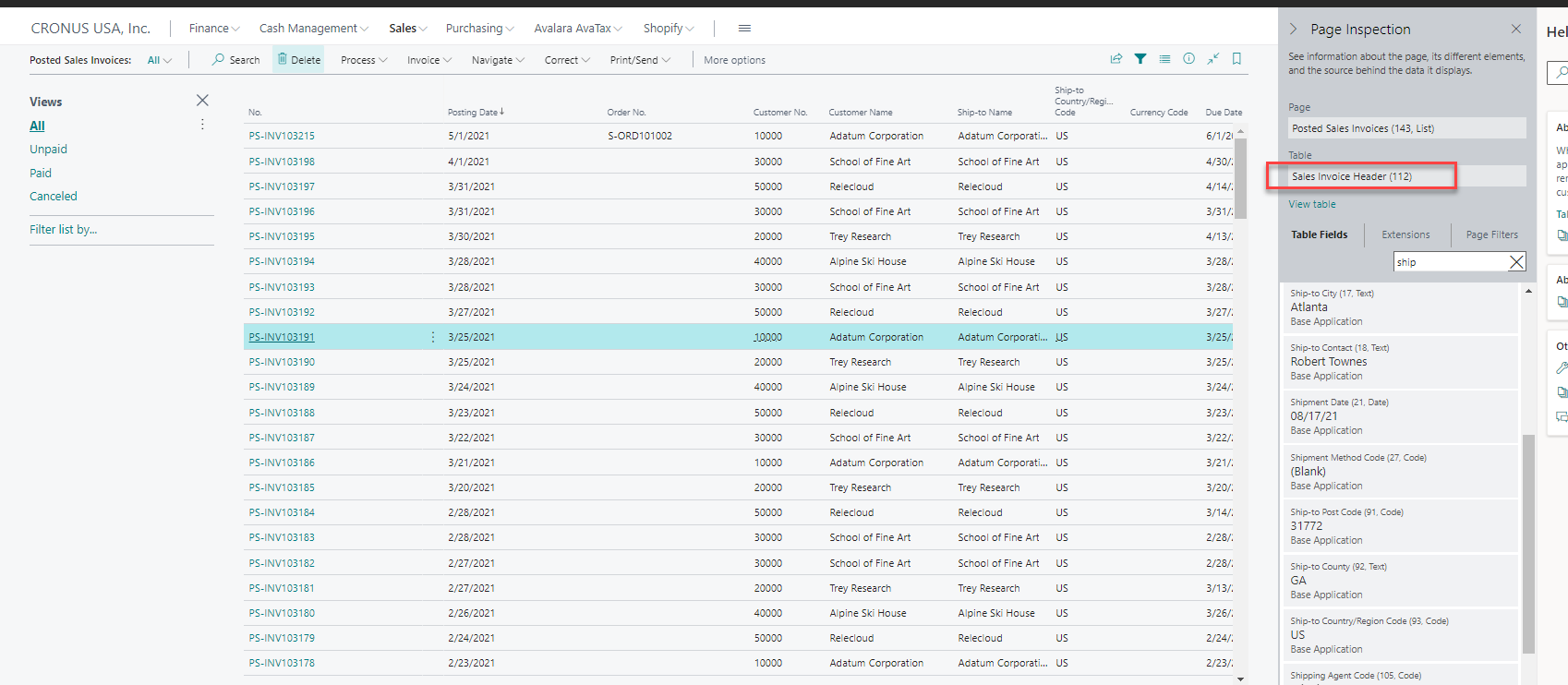
- Run a configuration package for sales order table which is Table no.36 and allow the user to upload the correct data for the state and then apply the package for it.
The limitation of this process is that it could only be applied to sales order header table and not to the posted sales invoice table, if the user has already posted it with an incorrect state value.
Always ensure the user is aware that state field cannot have random value and they should be creating a order with the right data and reviewing it before posting the transaction. This is more of a user training issue as this is how the standard system works.
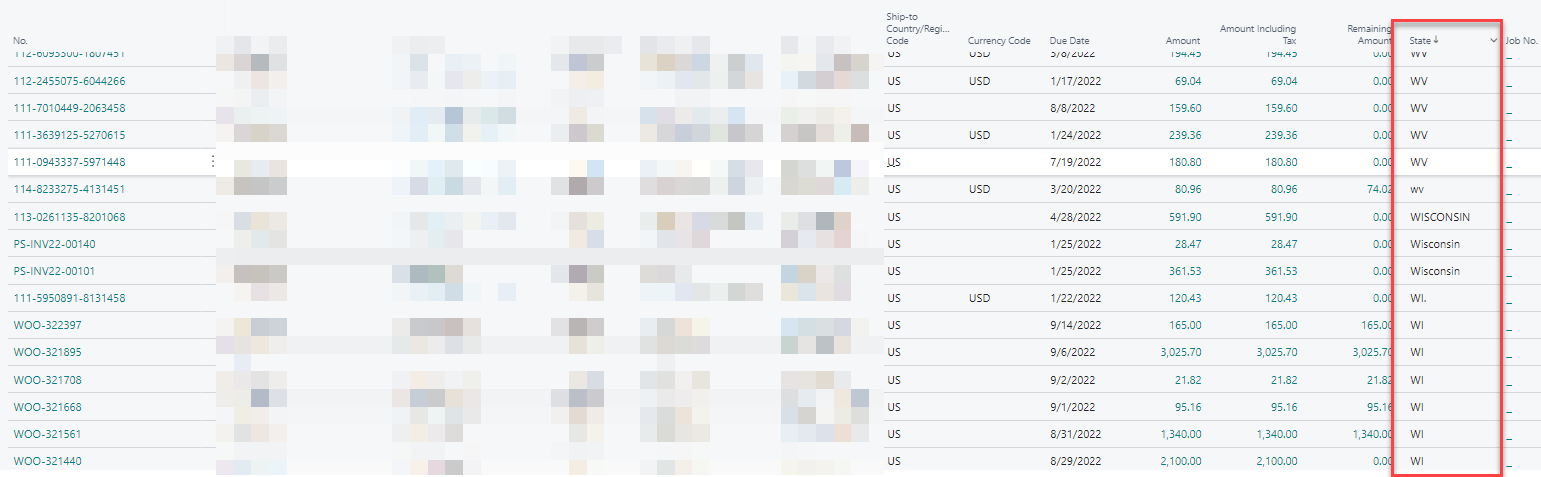
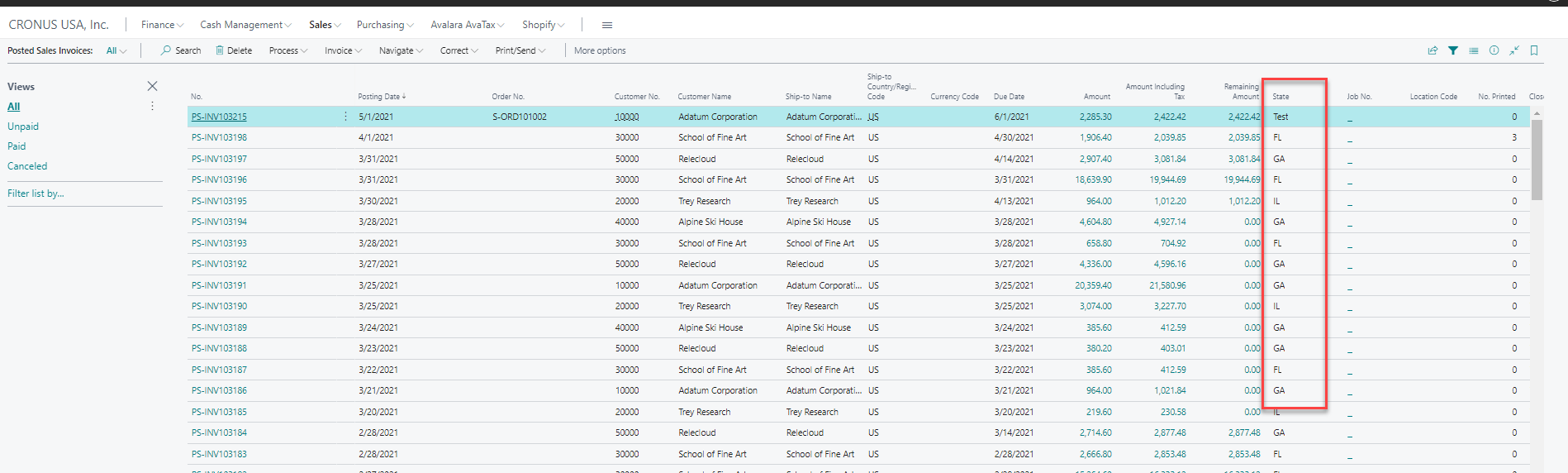
We also added the ship to field in the list column as well so its easier to take the excel output from Business Central as seen below.
Currently, this shows for posted Sales Invoice but the same can be done for Sales Order and other screens too.
 Recent Home
 Recent Home
 Recent Home
 Recent Home
 Recent Home



