Business Central State Field Customizations

Business Central State Field Customizations

This blog talks about Business Central State field customizations via the lookup table. It offers a solution to restrict the users.

Business Central State Field Customizations

Introduction

In this blog, we will talk about Business Central State Field Customizations. As mentioned in the last article, we are trying to control the value in the state field so that more validations can run on them..

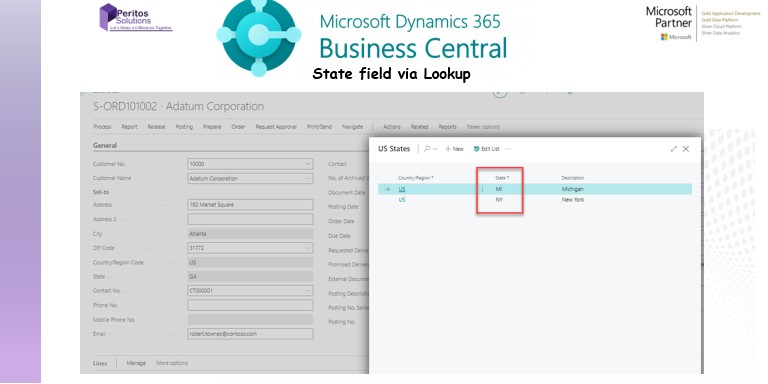
We have created a lookup table which is updated based on the specific country in the configuration. The user can select the state based on a lookup table.

There are some more checks and balances we could add. For example:

  1. Allow only specific users to update states.
  2. Admin user should only be able to edit the state values in the vlookup table.
  3. Restrict editing state field on the UI and user should only be selecting the state from the lookup table. We can also make state field mandatory for specific countries, if needed.

We created custom roles and permissions and assigned the user profiles; whoever has the right role will be able to update the State lookup table.

Here, we update the value of the table from which state lookup table is valid. We specified the country as US, so the checks will run only for the US.

Here is a screenshot of- How I am able to add any state in the sales order field before my change.
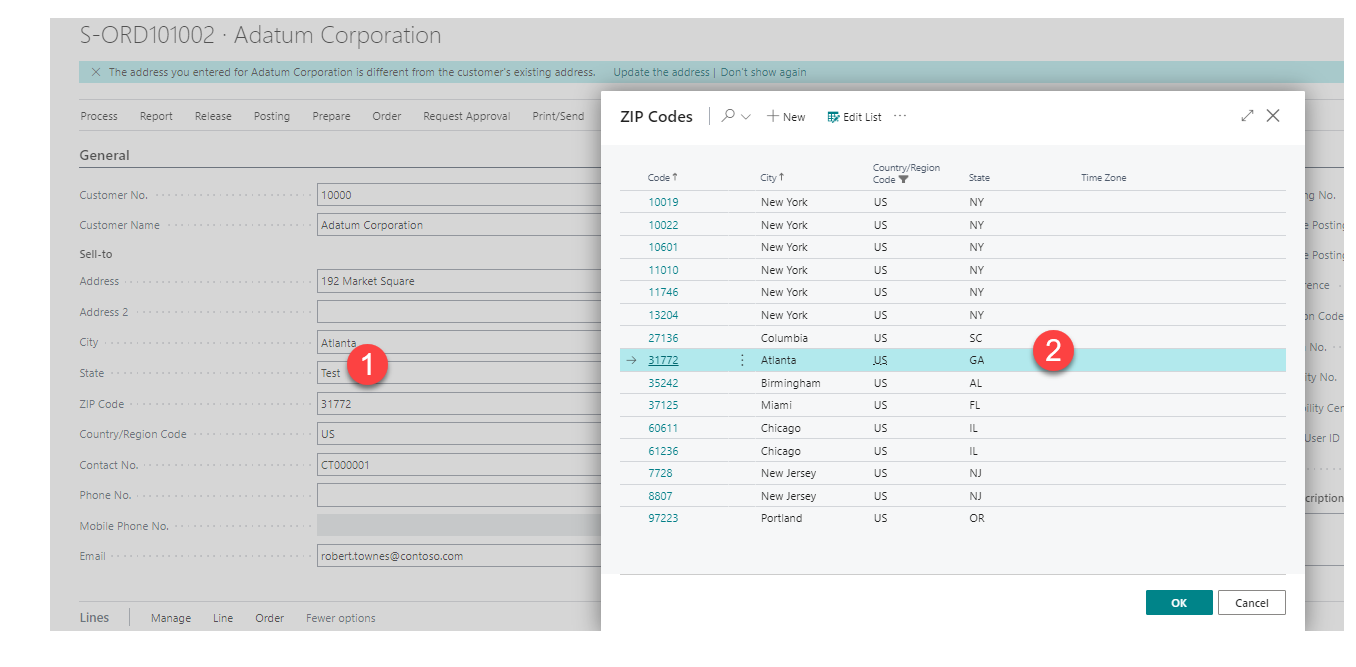
Table Description automatically generated with medium confidence

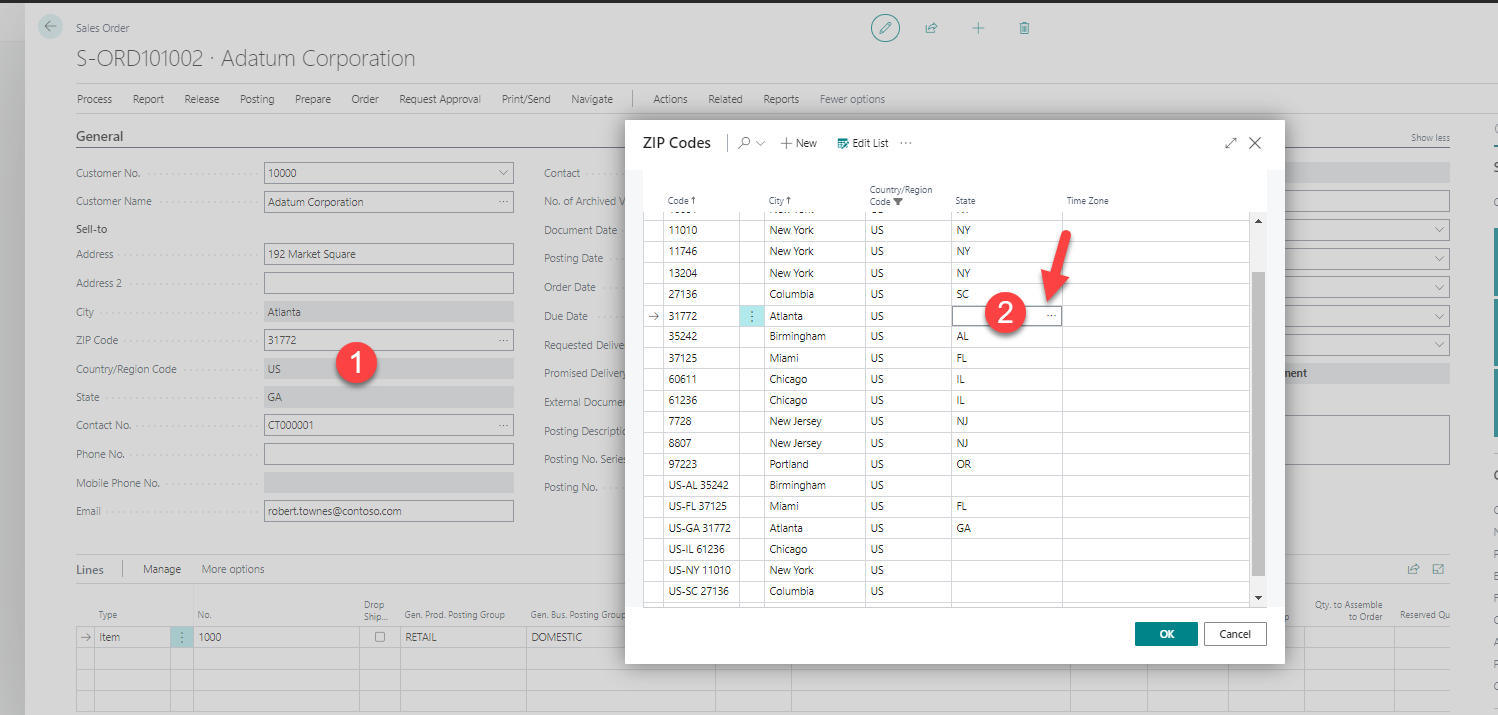
And now, after my change this is how the sales order screen looks like:

  1. State field, Country is disabled
  2. It can be selected when clicking on the pop up of Zipcode.

To see the available option of state field click on the 3 dots.
Graphical user interface, chart Description automatically generated

Now the user would see the 3 dots to open the table for State
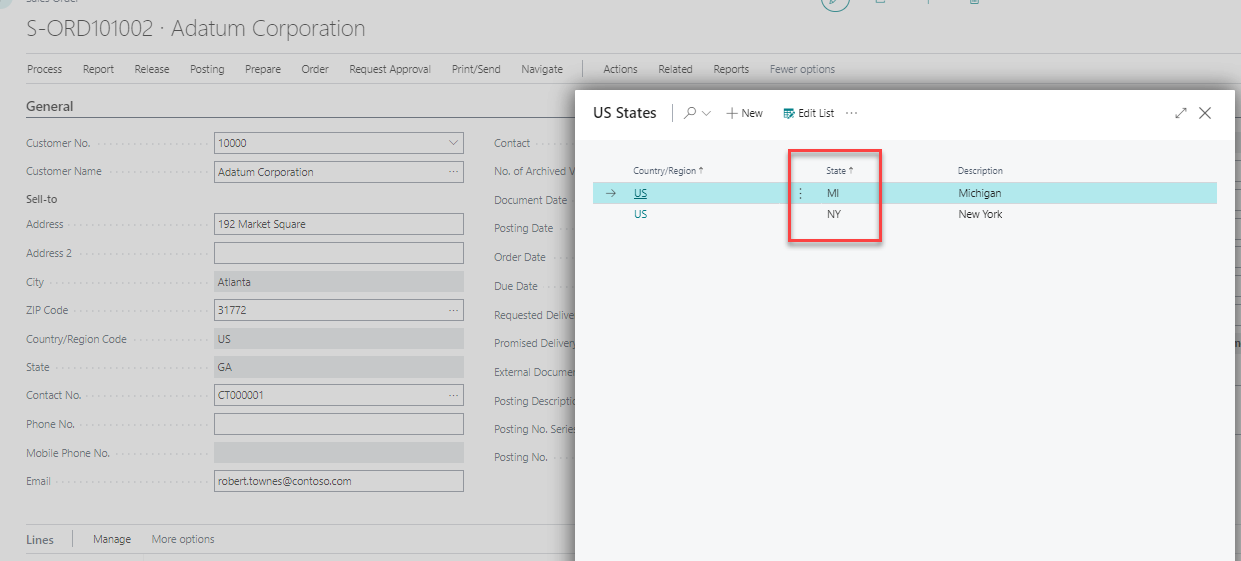
Graphical user interface, application Description automatically generated

Conclusion- Business Central State Field Customizations

With this change we are now able to restrict user to only select the state values from the available options. This would then prevent the user from randomly entering an incorrect value. Hence, giving lesser issues when trying to collate the data state wise for reporting, taxation or compliance purposes.

For more information:https://learn.microsoft.com/en-us/dynamics365/business-central/ui-customizing-overview

Proud Blogs that
make us stand
out

SAP Fieldglass Resume Ranking setup Recent Home

S/4 Hana

SAP Fieldglass Resume Ranking setup

Ensure seamless SAP Integration | Secure Access | Auth0 with third-party APIs. Secure authentication &…

Choosing the Right O365 Subscription: Monthly, Annual & Hybrid Commitments Recent Home

sub -O365

Choosing the Right O365 Subscription: Monthly, Annual & Hybrid Commitments

This article explores the various Microsoft 365 subscription models—monthly, annual, and hybrid—and helps you choose…

Peritos Wins Globalisation Excellence Award | MSME Star Stories 2024 Recent Home

Awards

Peritos Wins Globalisation Excellence Award | MSME Star Stories 2024

Peritos Solutions is proud to be a winner in the “Globalisation Excellence” category at MSME…

Peritos Wins at NABH Quality Connect Fiesta 2024 Recent Home

Awards

Peritos Wins at NABH Quality Connect Fiesta 2024

Peritos proudly receives the NABH Quality Connect Healthcare Quality Pitch Award at the 2024 Competitions…

Peritos: New Zealand ICT Award Finalist for Technical Award 2025 Recent Home

Awards

Peritos: New Zealand ICT Award Finalist for Technical Award 2025

Peritos Solutions has been named a finalist for the 2025 New Zealand ICT Technical Award,…

Thinking about a project? Get in touch with us.

Connect with Us Today through the Details Below or Fill
Out the Form for a Prompt Response

Book Free Consultation

Guaranteed response within 8 business hours.


    Trusted by Startups and Fortune 500 companies

    07+ years of experience

    We can handle projects of all complexities.

    100+ satisfied customers

    Startups to Fortune 500, we have worked with all.

    20+ in-house team

    Top 1% industry talent to ensure your digital success.

    Container