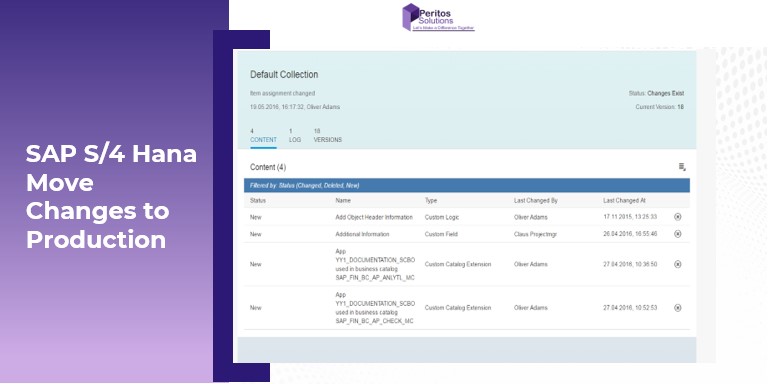
SAP S/4 Hana Move Changes To Production
This Article talks about steps in SAP S/4 Hana to move changes to production using Import and export Fiori Collection app
Introduction – SAP S/4 Hana Move Changes To Production
Learn steps in SAP S/4 Hana move changes to production. It has a different approach to the STMS Or SE10 based release of transports based on the on-Premise System. In S/4 Hana moves changes to production using the steps below.
Note this is applicable Only For The Clients who are on S/4 Hana Cloud. If a backend system exists then no need for following these steps as it can be done from backend using SE10 as before.
In S/4 Hana Cloud it is a bit of a different way of working as there is no backend. No GUI, No TCode. Follow these steps when you are ready with your changes in development and are ready to move changes to production.
- Check the export software collection Fiori App
- Adding objects modified before
- Adding objects never modified before
- Moving items together or moving to a different software collection
- Importing to production.
Check The Export Software Collection App to move S/4 Hana changes to production
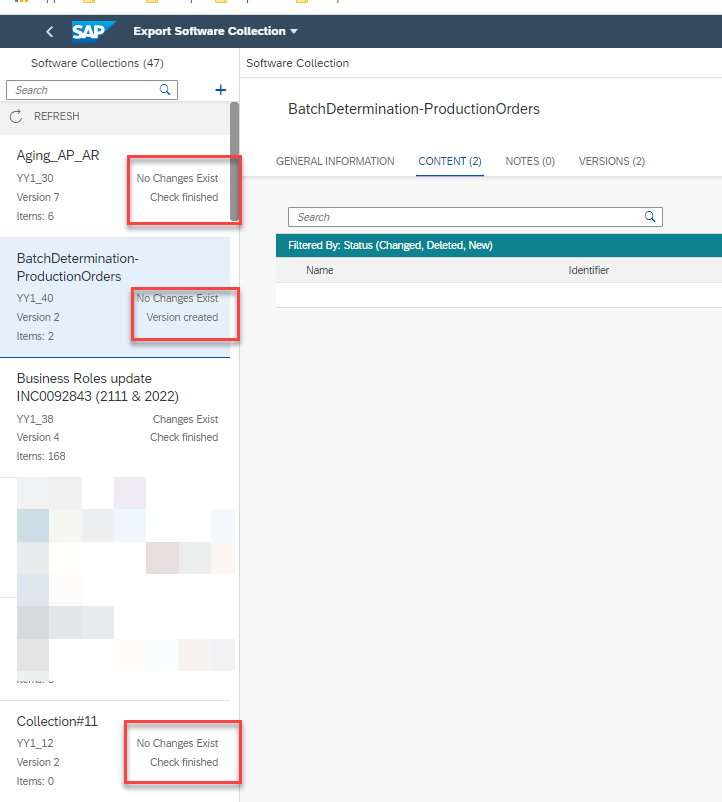
On the left panel you would see the list of all Software collections some with new changes ready to be moved, some which were moved before and no changes exist
ON the right side it would show in the content section what all items exist in the specific software collection.
Adding Objects Modified Before
Login to the export software collection app after doing the changes. If the particular object has been moved to production before, It would then show up in the same software collection as you see below example CDS view YY1_TESt that was created and sent to production and now has been changed.

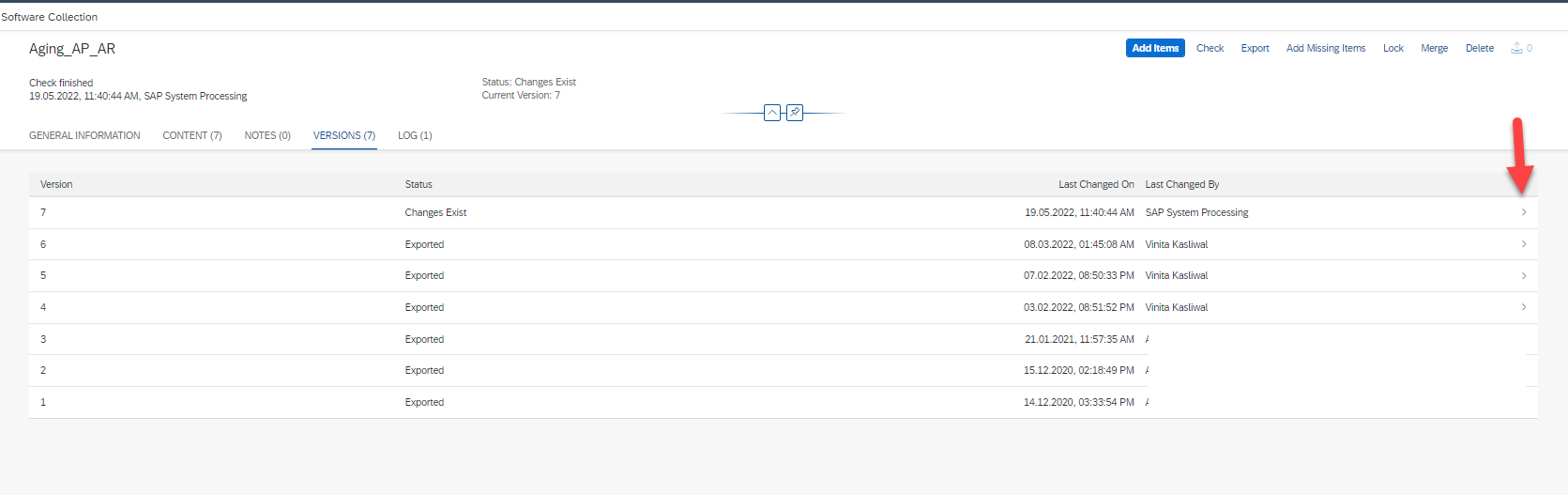
If you would like to see the precious changes which were imported it can be seen in the version tab. Clicking on the specific version line and an arrow at the end of it would show you what all objects are included 
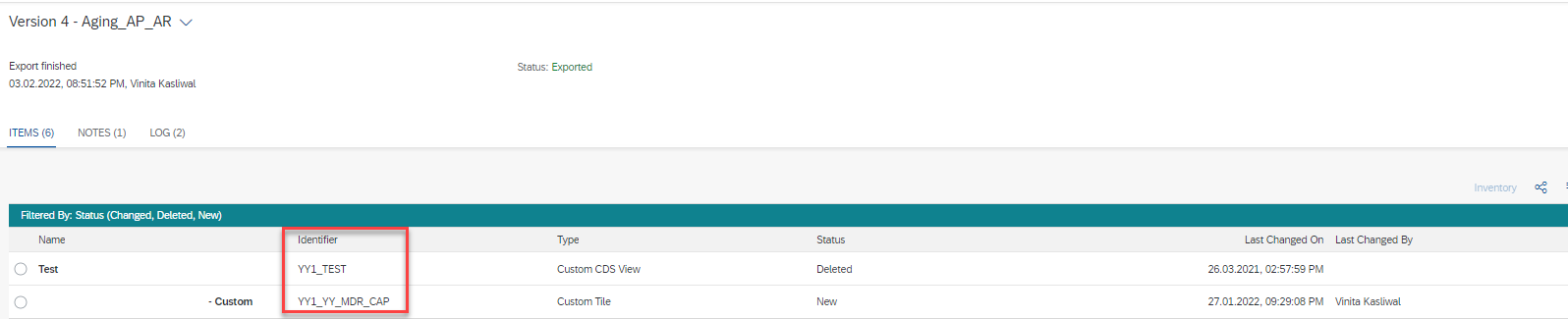
Example in this version 4 two objects were sent to production.
Adding Objects Never Modified Before
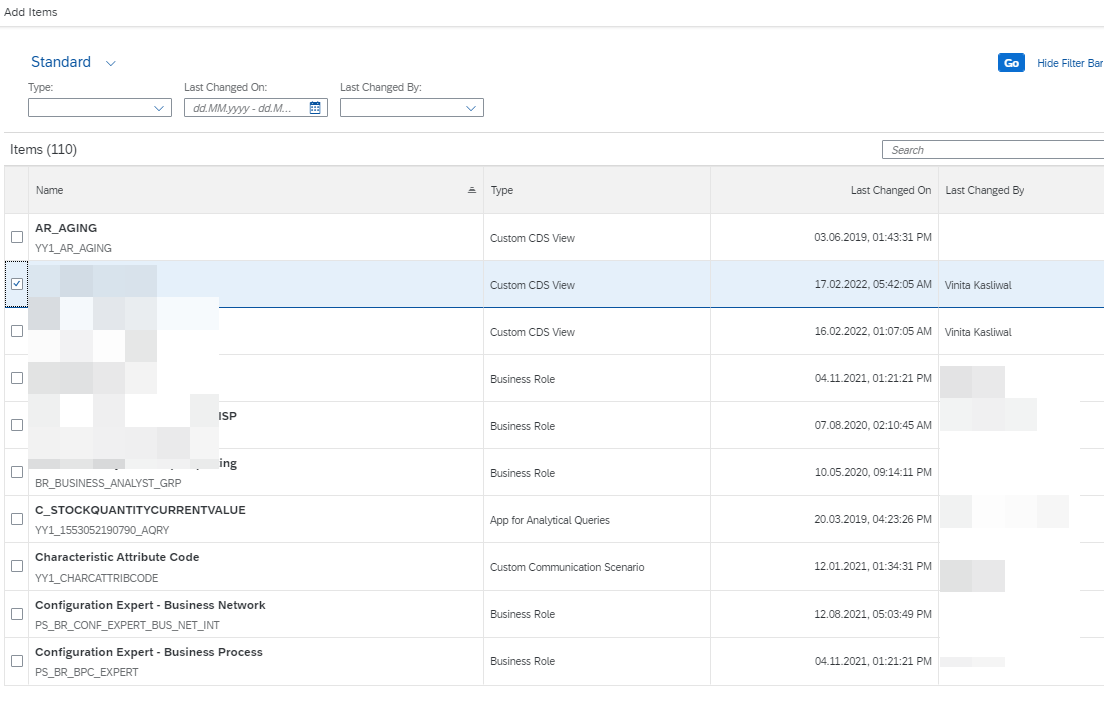
If this object was not changed before and is new then you need to add to your software collection by clicking on add item

This would show all the list of items and you could select the item based on that
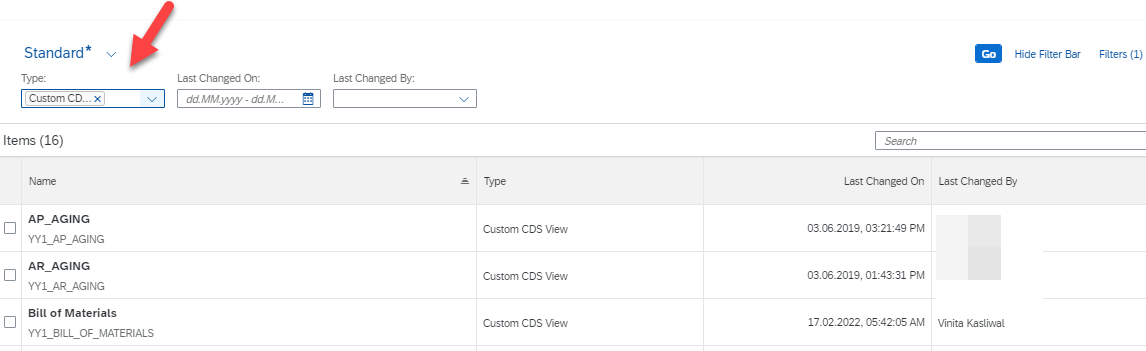
Or you can select the type of object example CDS views in this case below and then it will show you that specific objects modified in the system which you can add to the collection from the list below.
Moving Items Together Or Moving To A Different Software Collection
If you now have 2 software collection and you would like to move your changes over together then you can move these items from one software collection to another. Select the items and Click on Move Items and specify the package to move to.
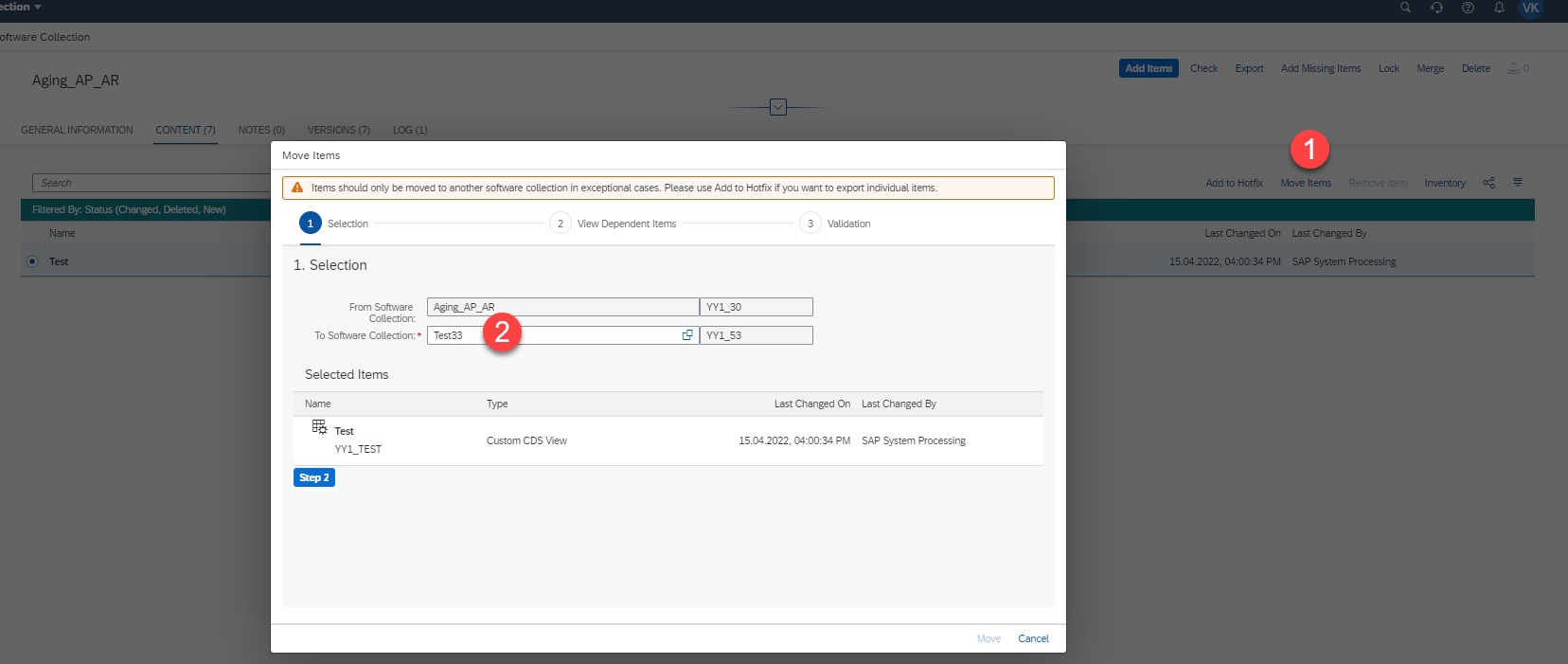
Update the steps 2 and 3
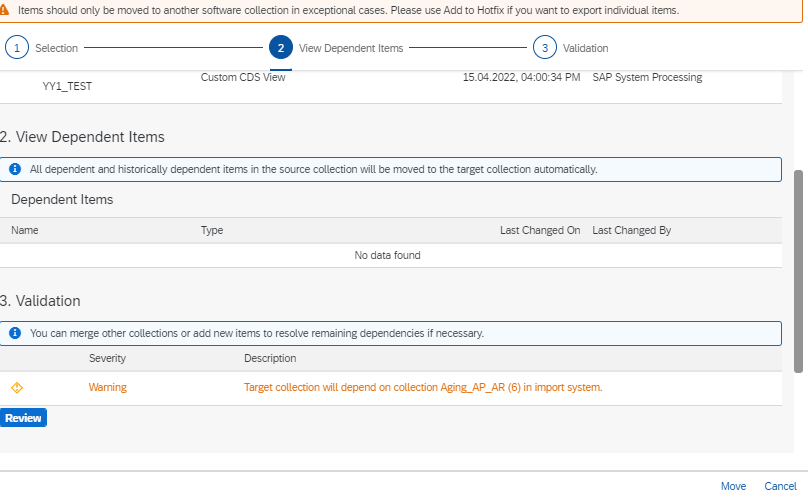
Once the items are all added to collection click on Export and it would send the changes over to the production system and the process steps for the Dev environment ends here.
And you would now see your item added to the new software collection as seen below

Importing To Production – S/4 Hana Move Changes To Production
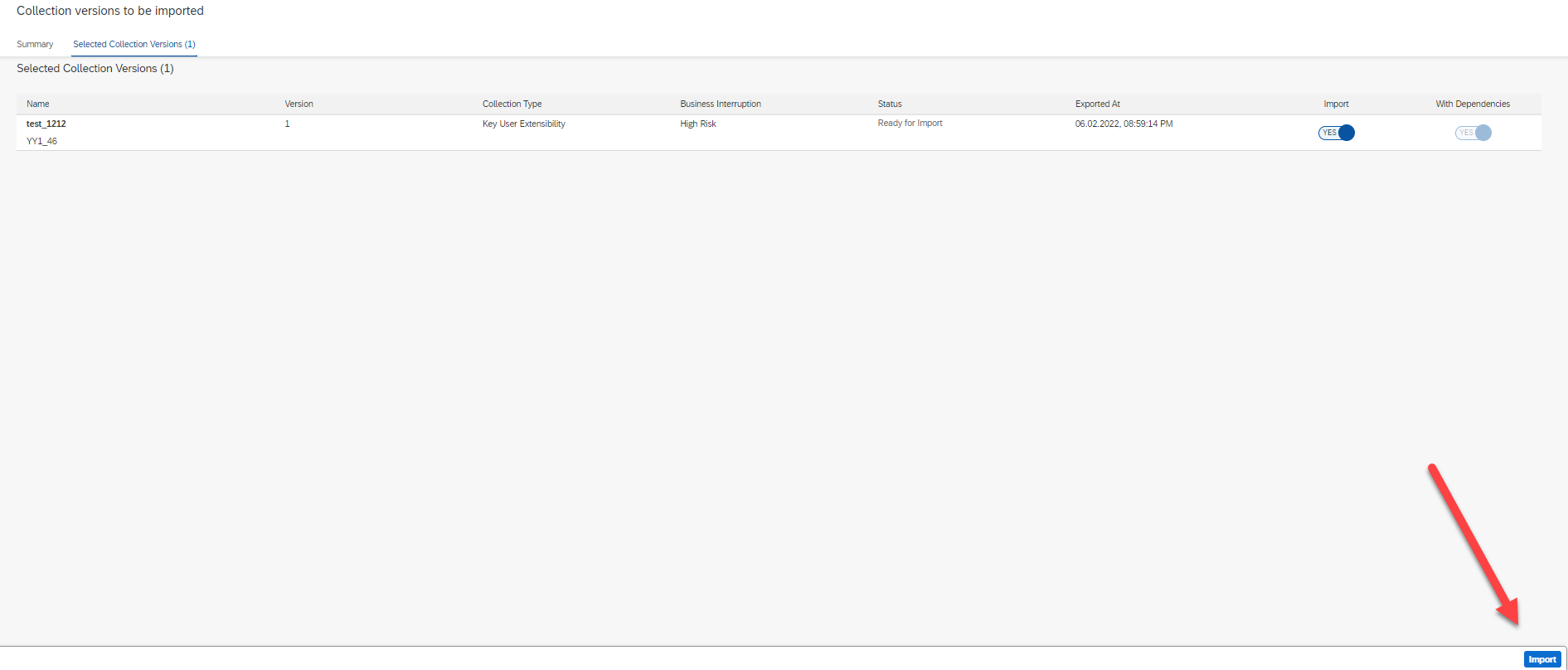
Login to the production instance and find the Import Collection app it shows status as “Ready to Import” and clicking on Import would then take to the next screen

It moves to the next screen. Note that it specifies the status as High Risk based on some parameter its not quite clear on how that Business Interruption as “ high Risk” is calculated. If it all looks good
clicking on Import would then import the changes in production
Conclusion on how to use SAP S/4 Hana to Move Changes To Production
In this article we now talk about steps used in SAP S/4 Hana to move changes to production
It is easy to do this with the help of the export and import collection app
Read this FAQ document for further understanding
3126032 – Export/import Software Collections in S/4HANA Cloud – Frequently Asked Questions
Share us
Get A Quote
Get in touch and Know more!
Email Us
info@peritosweb-d0074db2fc-evccgwfjhbbbd6gw.z01.azurefd.net
Proud Blogs that
make us stand out
Recent Home
S/4 Hana
SAP Fieldglass Resume Ranking setup
Ensure seamless SAP Integration | Secure Access | Auth0 with third-party APIs. Secure authentication &…
Recent Home
sub -O365
Choosing the Right O365 Subscription: Monthly, Annual & Hybrid Commitments
This article explores the various Microsoft 365 subscription models—monthly, annual, and hybrid—and helps you choose…
Recent Home
Awards
Peritos Wins Globalisation Excellence Award | MSME Star Stories 2024
Peritos Solutions is proud to be a winner in the “Globalisation Excellence” category at MSME…
Recent Home
Awards
Peritos Wins at NABH Quality Connect Fiesta 2024
Peritos proudly receives the NABH Quality Connect Healthcare Quality Pitch Award at the 2024 Competitions…
Recent Home
Awards
Peritos: New Zealand ICT Award Finalist for Technical Award 2025
Peritos Solutions has been named a finalist for the 2025 New Zealand ICT Technical Award,…
Thinking about a project? Get in touch with us.
Connect with Us Today through the Details Below or Fill
Out the Form for a Prompt Response
Book Free Consultation
Guaranteed response within 8 business hours.
Trusted by Startups and Fortune 500 companies
We can handle projects of all complexities.
Startups to Fortune 500, we have worked with all.
Top 1% industry talent to ensure your digital success.