



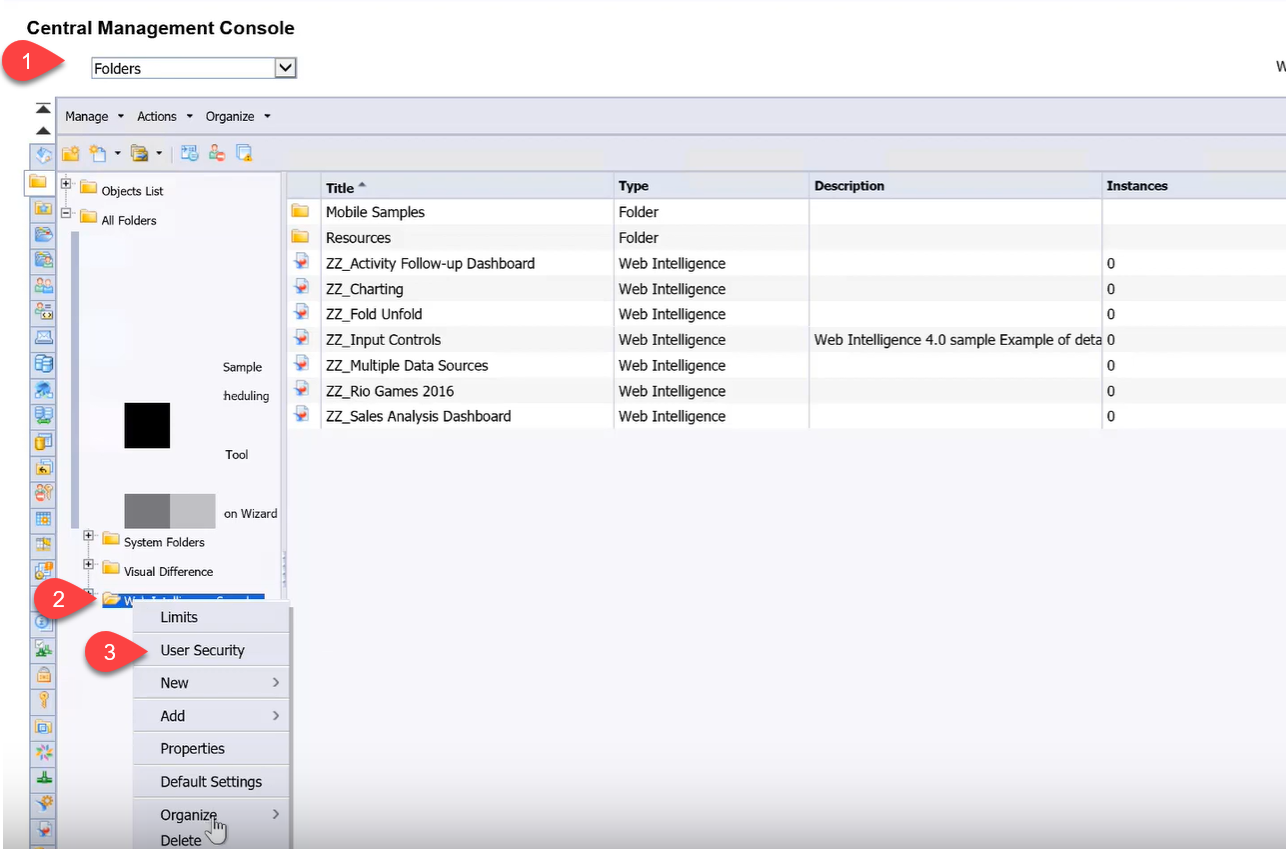
- Go to folders option
- Right click on the specific folder
- Go to user security.
 Update the settings for the folder which should hide in user security as shown below by providing “No access”
 After the above setting was maintained system folder is now removed from user BI console.
Below screenshot shows that user can only use option Save AS and not save as this is a public report which should not allow user to modify.
 Even if the user tries to save as in the public folder it would get an error “Could not save the document to the repository…”
 Enable the settings by following the steps given below.
Follow the same steps as we discussed earlier by going to Folder option in CMC console
Enable the settings by following the steps given below.
Follow the same steps as we discussed earlier by going to Folder option in CMC console
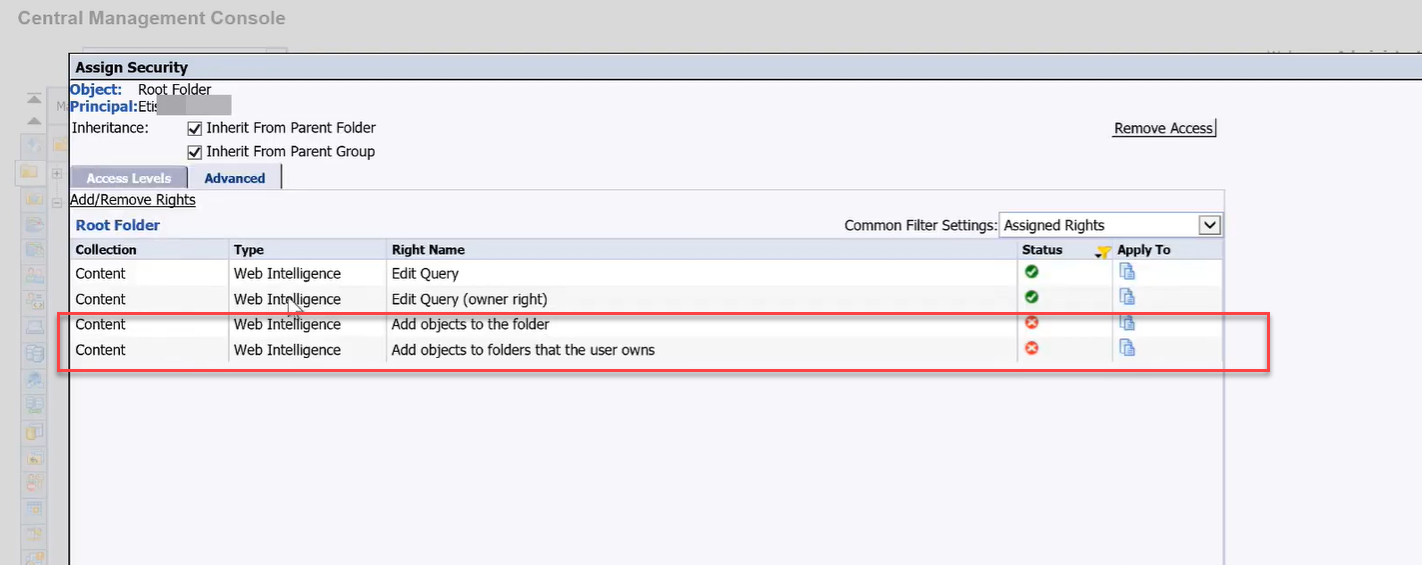
 Add the role as View on Demand and navigate to Advanced tab
 After you save the above setting it would look like below
Even if the user tries to save as in the public folder it would get an error “Could not save the document to the repository…”
Enable the settings by following the steps given below.
Follow the same steps as we discussed earlier by going to Folder option in CMC console
- Select Specific folder
- Right click and go to User security
- Now Navigate to additional security
Add the role as View on Demand and navigate to Advanced tab
After you save the above setting it would look like below
Select the application Option in CMC > Web intelligence
 Select User security again and this time if you give full control it allows users to use the Design button and if there is no need remove the button.
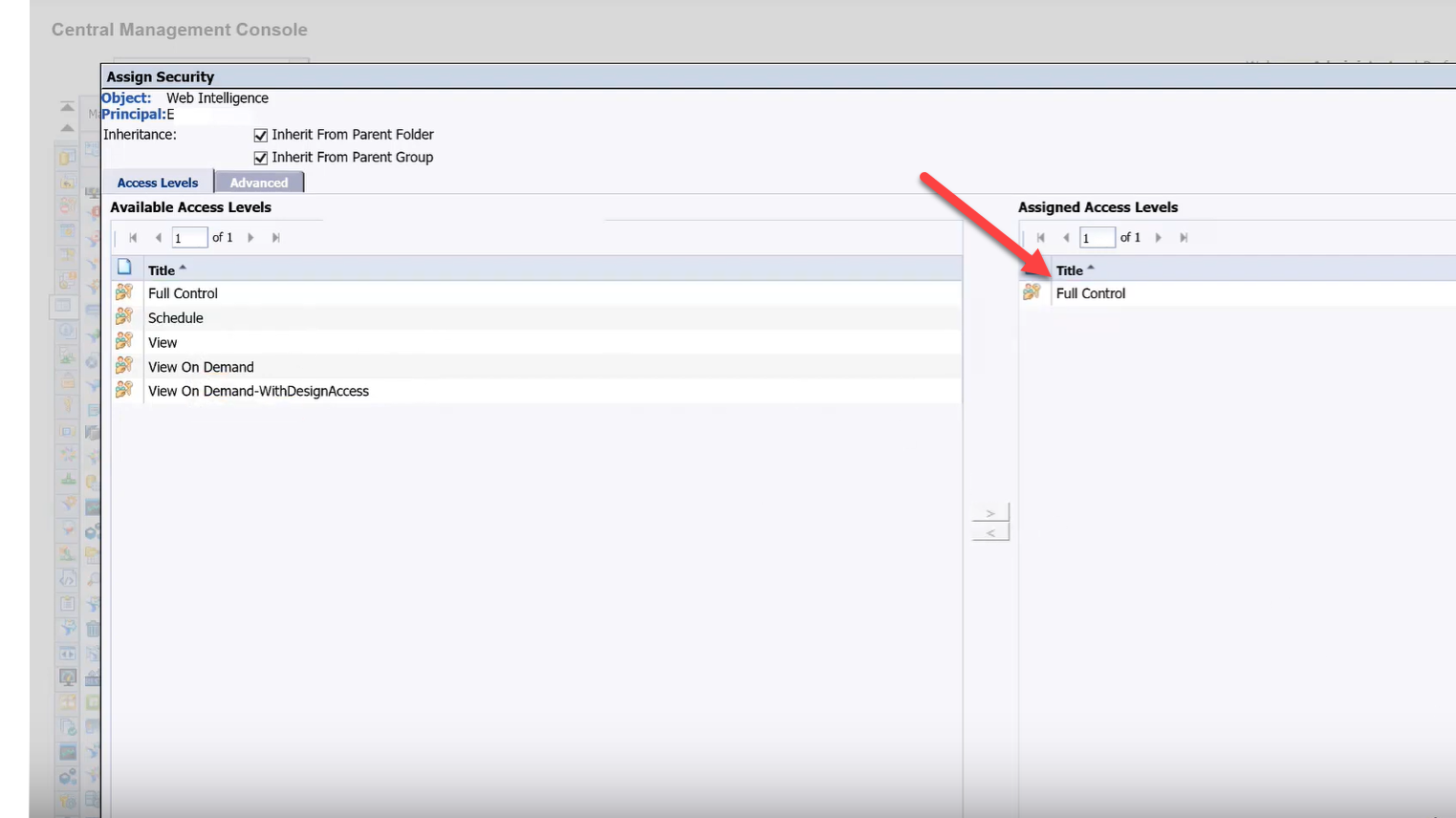
Select User security again and this time if you give full control it allows users to use the Design button and if there is no need remove the button.
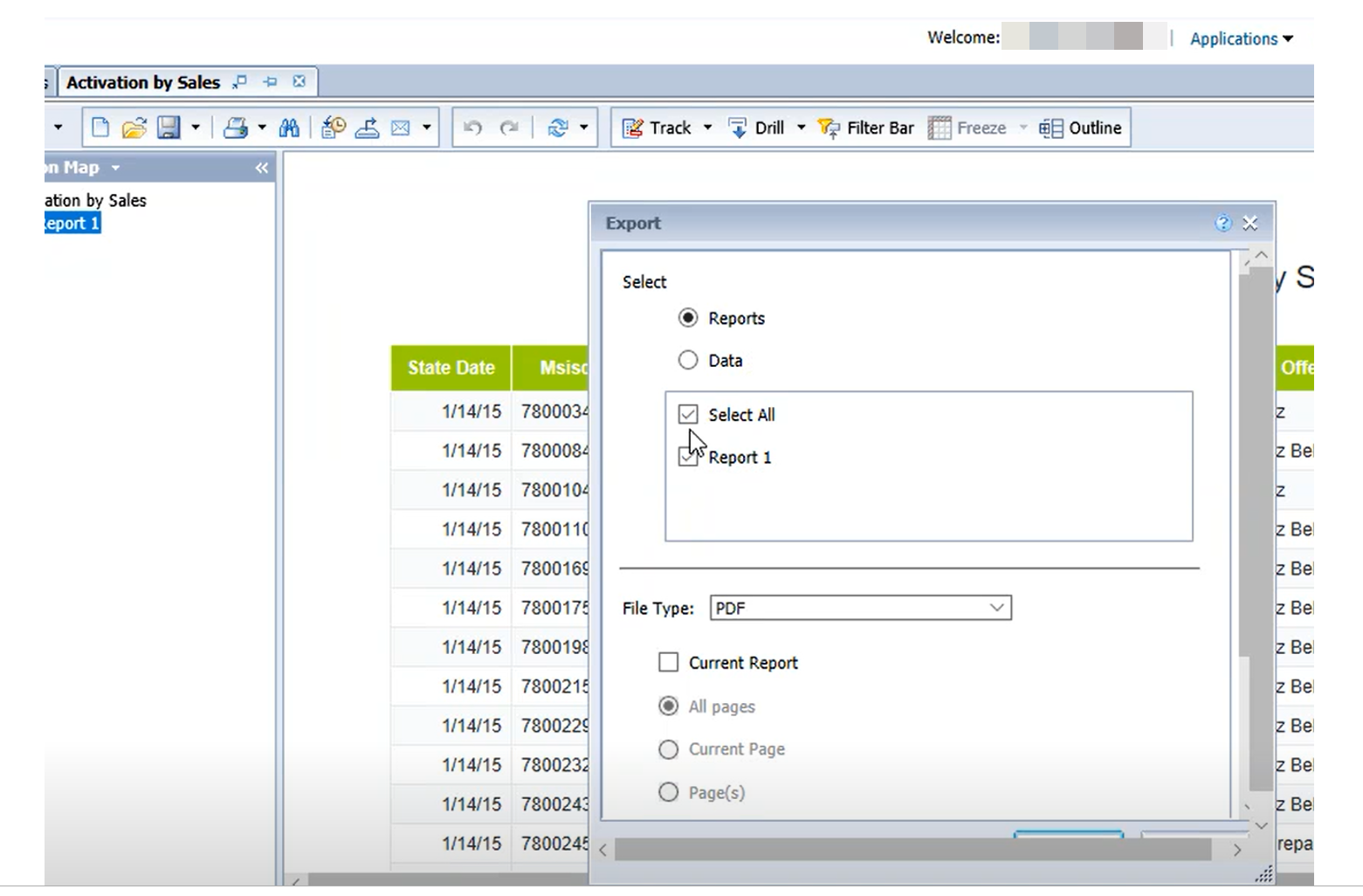
As seen below default file format shown is PDF and earlier was XLSX.
 As mentioned in the OSS note this is a system limitation
https://launchpad.support.sap.com/#/notes/2434556
As mentioned in the OSS note this is a system limitation
https://launchpad.support.sap.com/#/notes/2434556
 However, the workaround which we found for this one was related to using the Fiori Launchpad then it shows default export format as XLS and not PDF.
As mentioned in the OSS note this is a system limitation
https://launchpad.support.sap.com/#/notes/2434556
However, the workaround which we found for this one was related to using the Fiori Launchpad then it shows default export format as XLS and not PDF.  Recent Home
 Recent Home
 Recent Home
 Recent Home
 Recent Home



