
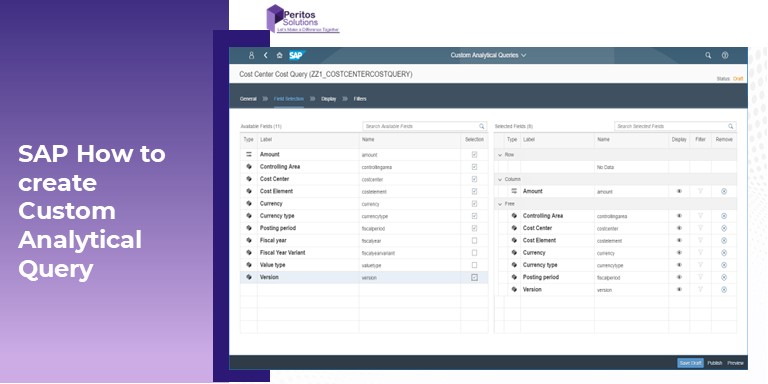
SAP How to create custom Analytical Query
The article provides an insight on S/4 Hana Creating Custom Analytical Query for reporting and analysis by following these easy steps.
S/4 Hana Creating Custom Analytical Query and publish as an app
S/4 Hana Creating Custom Analytical Query is a an app used for reporting and analysis Moreover, S/4 Hana Creating Custom Analytical Query offers the fields required to design a query. The user can select the required fields and set filters for the query.They can add restricted measures, calculated measures, and preview the query results hereafter following these simple steps, you can create various Custom Analytical Queries.We follow the below steps to create custom Analytical query
- Creating Custom Analytical query
- Update display section
- Update filter section
- Publish as an app
Note that this blog refers the CDS view created before please refer to the link below on How to create CDS view
Create Custom Analytical Query
We can now use the custom CDS view created to create a new custom Analytical query
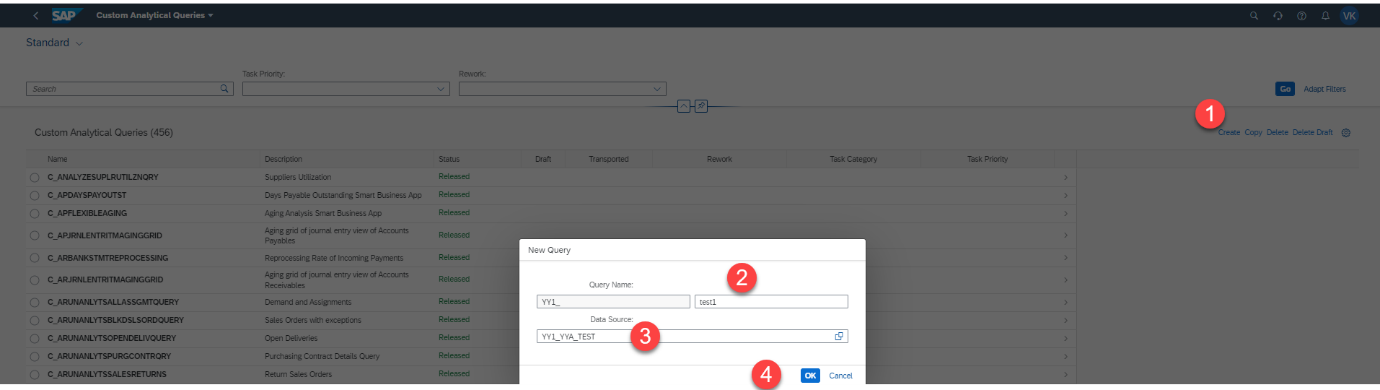
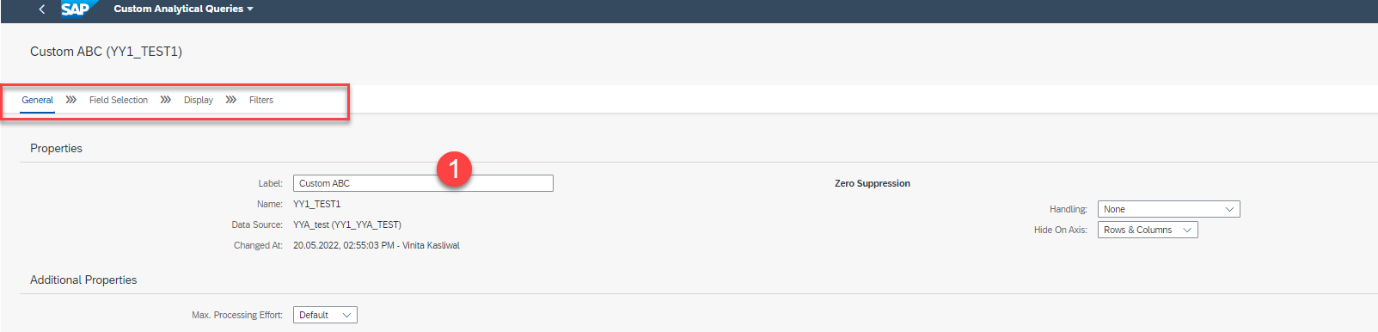
Specify the name and click on next
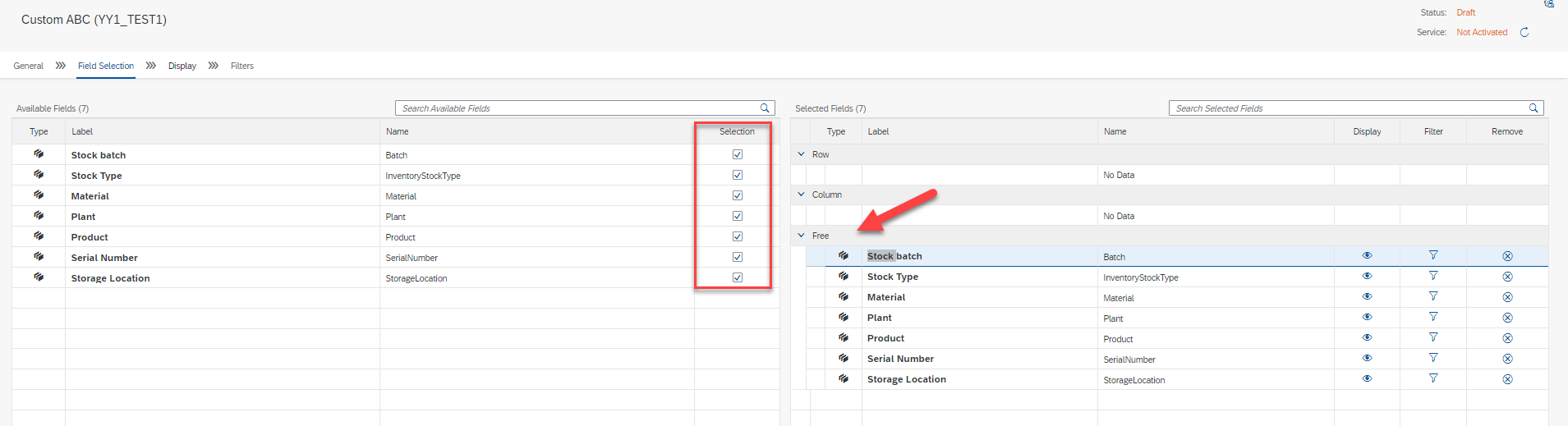
Go to field selection and select the checkbox and the fields would start showing on the right side “ Free” Section
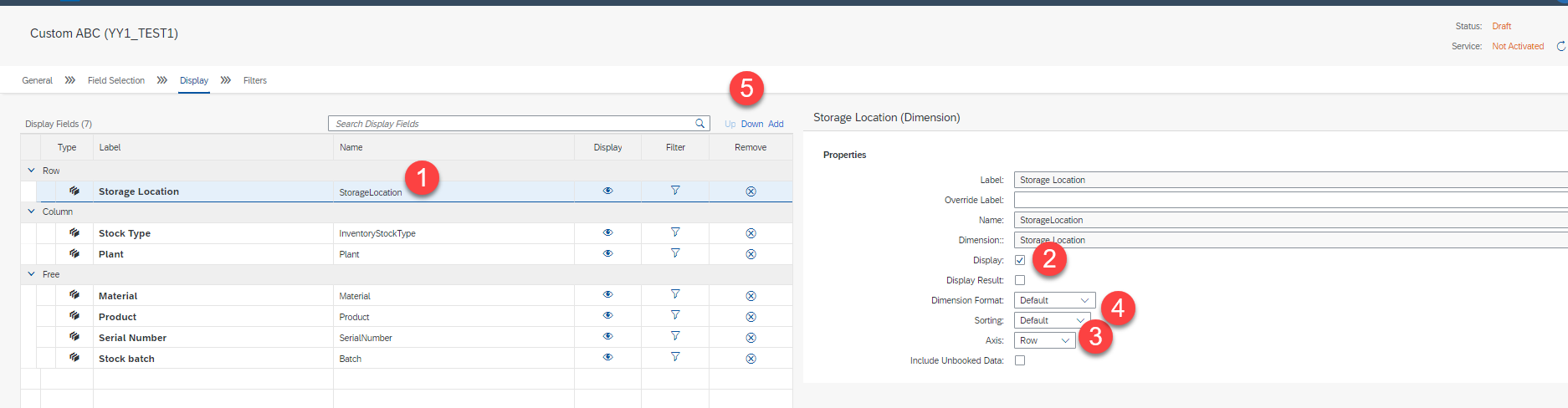
Update display Section
- Select the row
- Then choose if you want to display it or not
- Which axis it should show up
- Sorting is enabled or not
- Then click on up and down to change the sequence of the fields
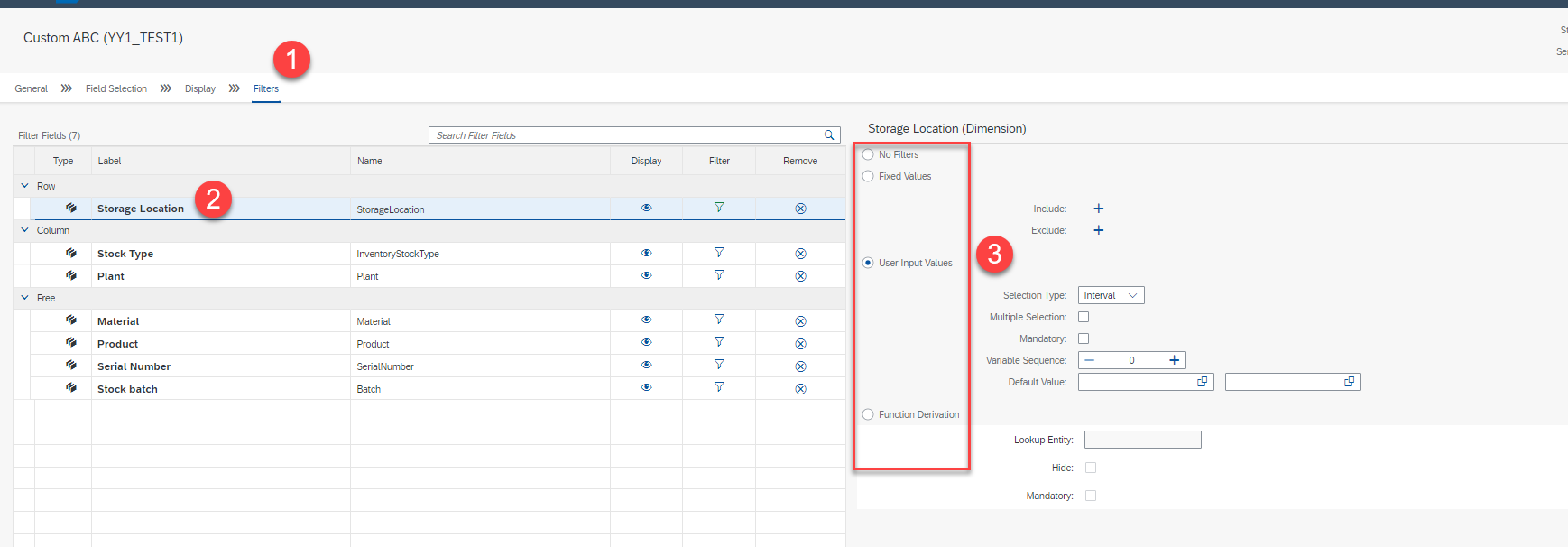
Update filter section for S/4 Hana Creating Custom Analytical Query
- Click on the filer to define filters
- Select the row for the specific fields to make a filter
- Then Check filter options and for now, I have selected user input value as a filter with “selection type” “Interval”
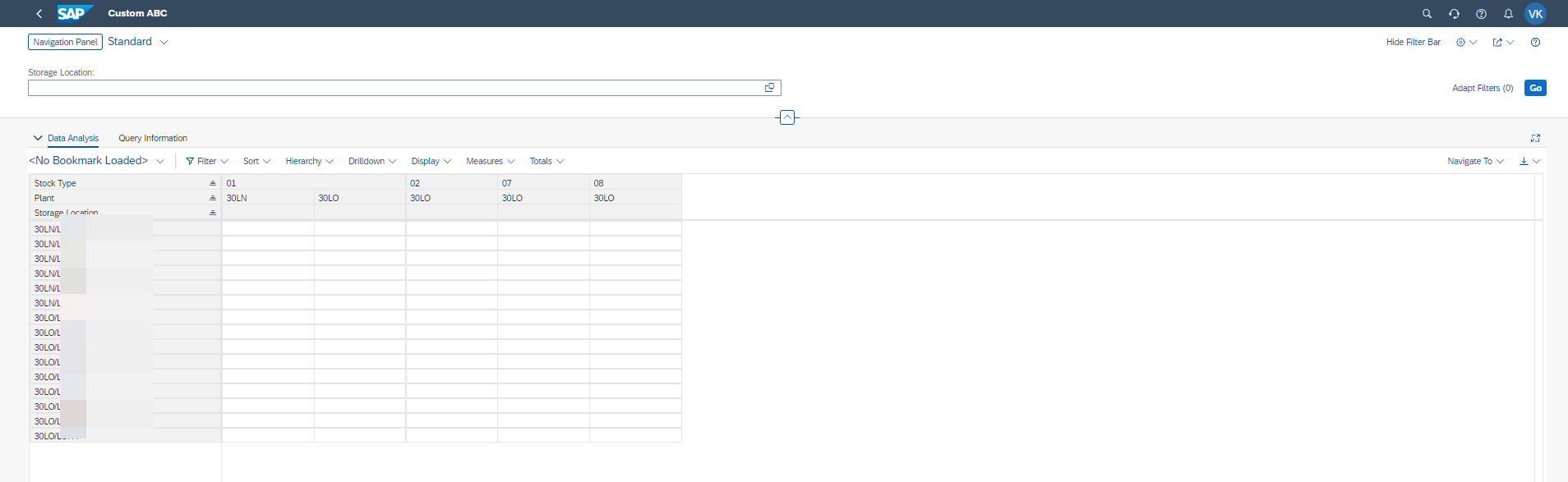
After publishing check the query then this is how it looks like with just 1 filter which was added as the storage location
Publish custom analytical query as an app
Open the view browser app and find your specific query and look for the application ID, Note that it may sometime take time to appear if you just published.

Hereafter refer below image how it should look like 

Now select the Application ID and go to Custom catalog extension and search the using the APP ID and then add to the specific catalog you would like to see it in.
This would add the app to the catalog and then it would be shown as an app on the Fiori Launchpad.

Conclusion– S/4 Hana Creating Custom Analytical Query
Hope this article will be helpful to create Custom Analytical Query and you can use the View Browser application to create, copy and view all analytical queries. For more information, see the View Browser documentation at help.sap.com
Share us
Get A Quote
Proud Blogs that
make us stand out
Recent Home
S/4 Hana
SAP Fieldglass Resume Ranking setup
Ensure seamless SAP Integration | Secure Access | Auth0 with third-party APIs. Secure authentication &…
Recent Home
sub -O365
Choosing the Right O365 Subscription: Monthly, Annual & Hybrid Commitments
This article explores the various Microsoft 365 subscription models—monthly, annual, and hybrid—and helps you choose…
Recent Home
Awards
Peritos Wins Globalisation Excellence Award | MSME Star Stories 2024
Peritos Solutions is proud to be a winner in the “Globalisation Excellence” category at MSME…
Recent Home
Awards
Peritos Wins at NABH Quality Connect Fiesta 2024
Peritos proudly receives the NABH Quality Connect Healthcare Quality Pitch Award at the 2024 Competitions…
Recent Home
Awards
Peritos: New Zealand ICT Award Finalist for Technical Award 2025
Peritos Solutions has been named a finalist for the 2025 New Zealand ICT Technical Award,…
Thinking about a project? Get in touch with us.
Connect with Us Today through the Details Below or Fill
Out the Form for a Prompt Response
Book Free Consultation
Guaranteed response within 8 business hours.
Trusted by Startups and Fortune 500 companies
We can handle projects of all complexities.
Startups to Fortune 500, we have worked with all.
Top 1% industry talent to ensure your digital success.